
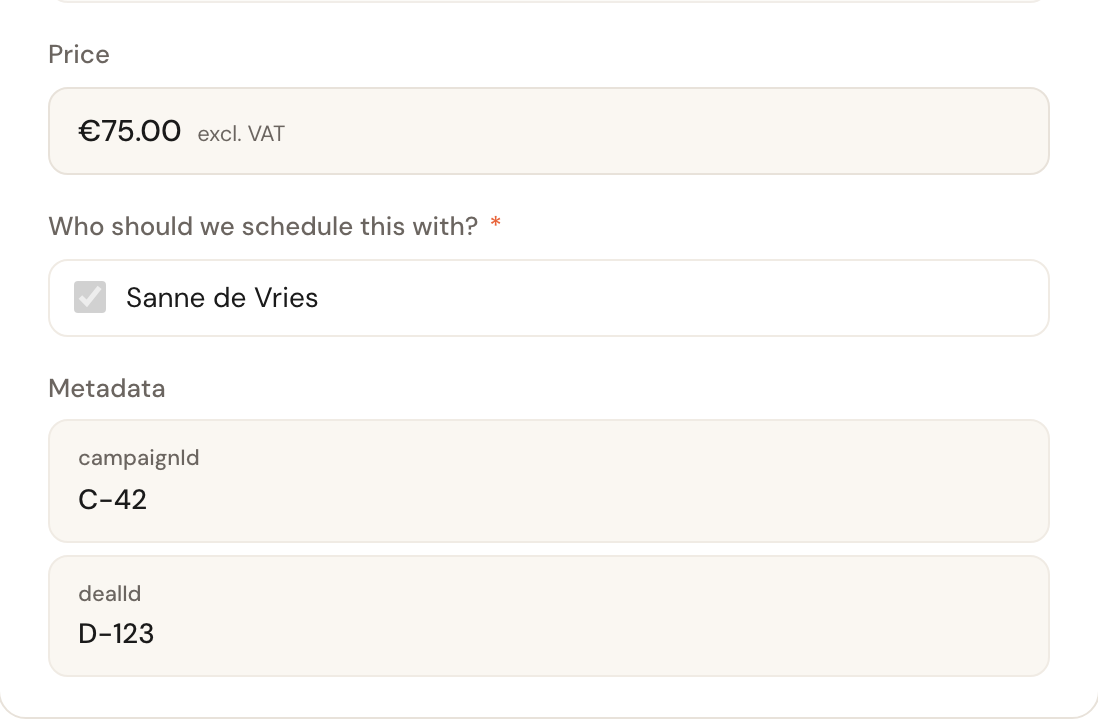
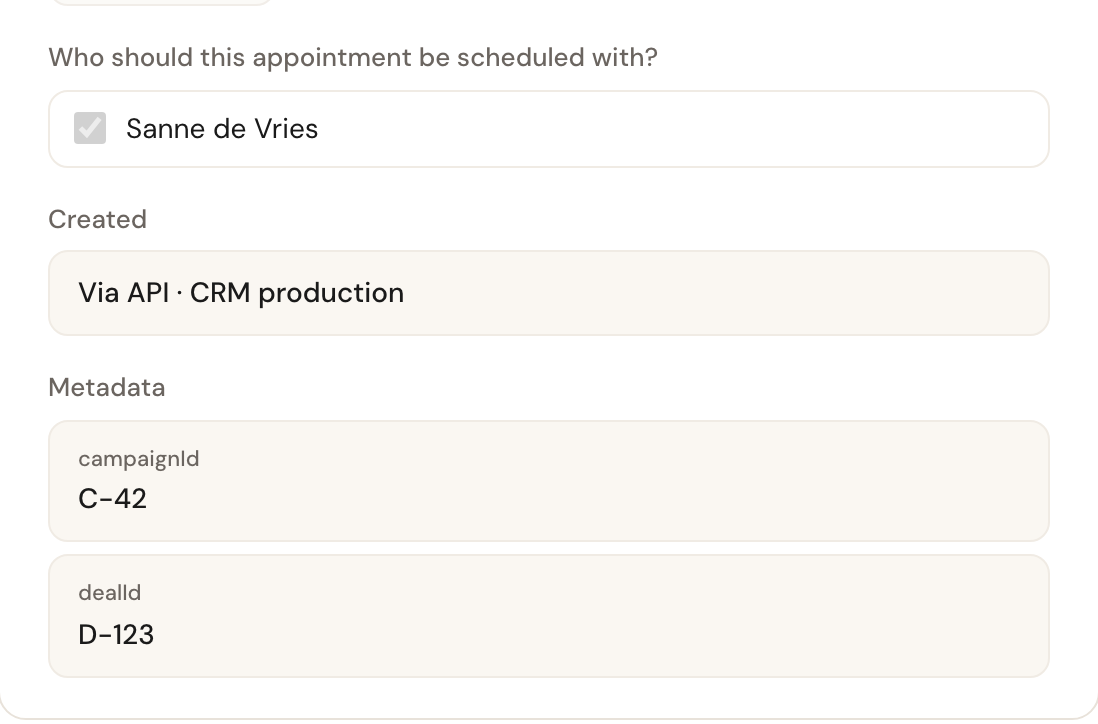
Metadata
Your own references — a deal id, a campaign id — on invitations and appointments, copied along and handed back on every webhook.
Your CRM has its own ids for the work it hands to Schedulinq: a deal, a lead, a
campaign. Send them along as metadata — in the dashboard this is the
Metadata block (Kenmerken in Dutch) — and Schedulinq keeps them on the
invitation or appointment, copies them onto whatever follows from it, and hands them back in every
answer and every webhook. That is how your CRM recognises which lead a booking belongs to, without
storing a single Schedulinq id first.
{
  "metadata": {
    "dealId": "D-123",
    "campaignId": "C-42"
  }
}
You set them when you create something:
- a planning link (
POST /api/v1/planning-links) — its appointments get them; - an invitation (
POST /api/v1/invitations) — and every appointment booked from it; - a team member invitation (
POST /api/v1/users) — they stay on that invitation.
They are written once. Nothing — not the API, not an admin in the dashboard — can change them afterwards.
The rules
| What | Rule |
|---|---|
| Key | 1 to 40 characters from a-z, A-Z, 0-9 and _. |
| Value | A string, on one line, at most 500 characters. Leading and trailing spaces are removed. Numbers are refused: send "123", not 123. |
| Count | At most 20 keys with a value, and at most 40 entries in all. |
| Empty value | null or a blank string means "not set": the key is not stored and does not count. |
| Malformed key | Refused, even when its value is empty. |
A request that breaks a rule is refused as a whole with
errors.api.validationFailed. Every
fault is listed at once in errors[], each with its field and code:
| Code | Field | Means |
|---|---|---|
errors.validation.metadataTooManyKeys | metadata | More than 20 keys with a value, or more than 40 entries. Always listed first. |
errors.validation.metadataKeyInvalid | metadata.<key> | The key is not 1 to 40 of the allowed characters. |
errors.validation.metadataValueInvalid | metadata.<key> | The value is not a string, or holds a line break or another control character. |
errors.validation.metadataValueTooLong | metadata.<key> | The value is longer than 500 characters. |
A refused key is shown, not repeated: in field every character outside
A-Z a-z 0-9 _ becomes ?, and a key longer than 40 characters is cut off with
….
Where they travel
Metadata values are copied, never typed in again. They go:
- from an invitation to every appointment it books, also when the customer books several services at once;
- from a planning link to the appointments made from it, one or several in a row;
- from an appointment to its new appointment when the customer reschedules it themselves;
- from an appointment to the invitation a team member sends with Reschedule, and from there to the appointment the customer books;
- from a team member invitation to the
colleague.activatedwebhook once it is accepted. The team member themselves does not get them: one buyer can come from many campaigns.
An appointment created in the dashboard without a planning link, an invitation an admin sends and a subscription's invitations start without metadata. Editing an appointment never changes them.
Finding by value
Look an appointment or invitation up by your own id:
curl "https://api.schedulinq.com/api/v1/appointments?metadata[dealId]=D-123" \
  -H "Authorization: Bearer $SCHEDULINQ_API_KEY"
GET /api/v1/appointments and GET /api/v1/invitations need at least one
metadata[<key>]=<value> (without one:
errors.validation.metadataFilterRequired).
A filter matches the value exactly; several filters must all match. The brackets
may be sent as they are or encoded as %5B and %5D. Details, and the other
filters, are in the reference.
Who sees them
- Your team. Everyone who can open the appointment or invitation in Schedulinq sees its metadata — also a team member whose role sees only their own appointments.
- The overview searches. The appointments and invitations overviews find a value.
- Logs. A lookup puts the value in the URL, and web servers keep URLs in their logs.
- Nobody can correct or erase them from the dashboard.
So store no personal data and no secrets in them, and nothing commercially sensitive that another buyer may not see: a deal id, not the deal's value. If a value has to be removed after all, contact support.
In the dashboard
- The appointment page and the invitation page show a read-only Metadata block (Kenmerken in Dutch) with one row per key, in key order. It appears only when there are any.
- A pending team member invitation shows them in its window on the Team page.
- Editing the appointment never changes them.
- The appointments overview's search finds a value from three characters on. A shorter id is found through the invitations overview, or with the API's exact lookup above.
On every webhook
Every appointment and invitation event carries the record's metadata, {} when
it has none, and colleague.activated carries the invitation's. So your webhook
receiver can match an event to your own record without looking anything up. See
Webhook events.
Frequently asked questions
Can an admin change the metadata?
No. They are your CRM's references, and an edited deal id would break your CRM's link to the appointment. The dashboard shows them, and only shows them.
Can I store a customer's phone number in them?
Don't. Metadata values are shown to team members and copied into every webhook. Store the customer's details in your own CRM, and give Schedulinq only your id for them.
Can I add metadata to an appointment that already exists?
No. They are set when the planning link or invitation is created, and copied from there.
Why does my numeric id get refused?
Values are strings. Send "dealId": "123", not "dealId": 123.