

Who gets which message
Every step is scoped on two axes — which appointment types it covers, and which kind of customer it is written for. Together they decide which of your messages someone actually receives.
A communication step answers two questions that have nothing to do with each other: what is this message about, and who is it written for. The first is the appointment-type axis, the second the audience axis. They are independent, and both can stay on "applies to everyone" — most organisations leave them there and never need this page.
You need it the moment you have to say the same thing twice in two registers. A consumer gets a first-name greeting; a purchasing department wants a reference number. The only way to express that used to be splitting your whole catalogue into "business" and "consumer" appointment types — a split that had nothing to do with the service. The audience axis exists to make that unnecessary.
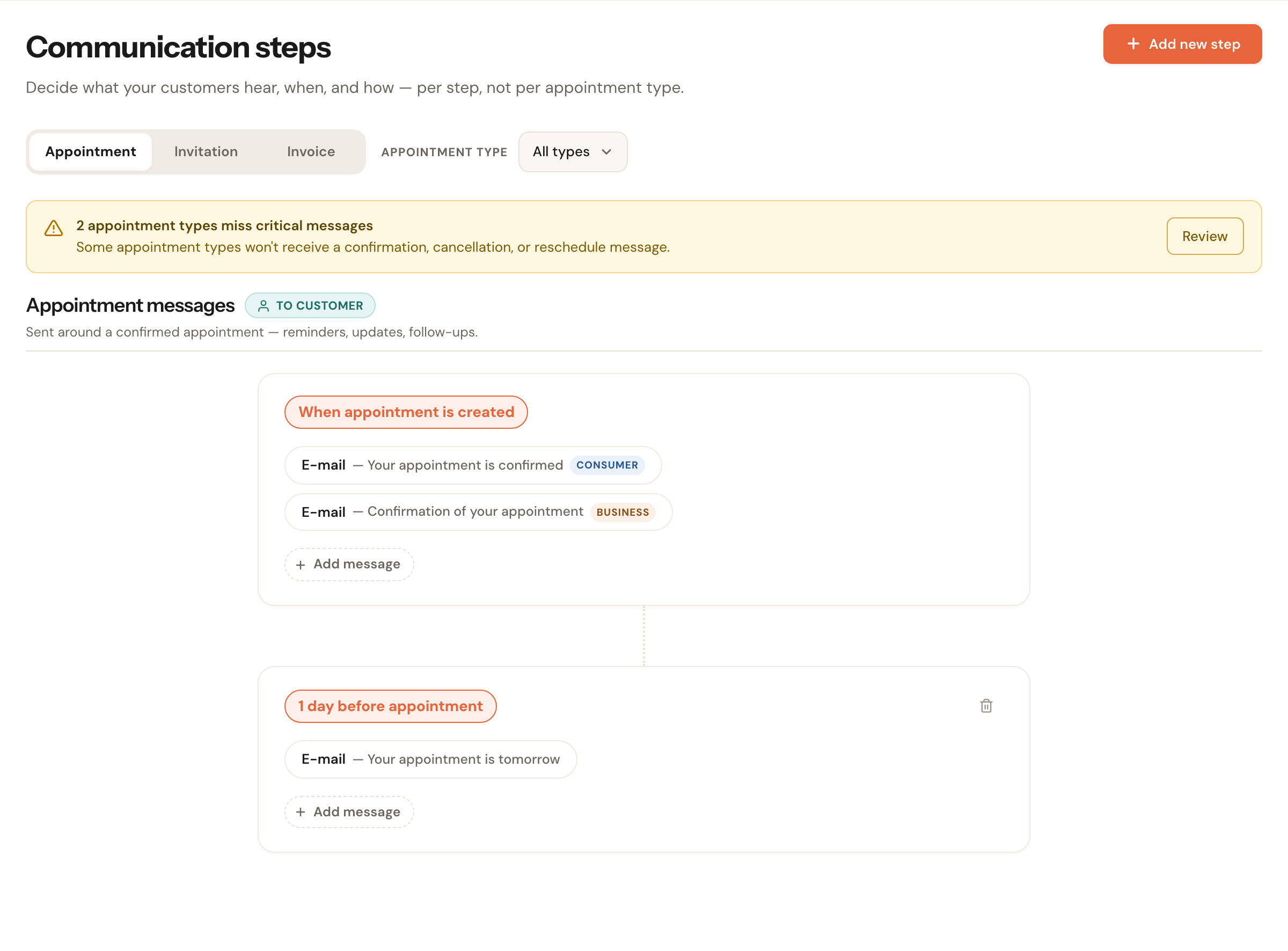
Two confirmations at the same moment: one for consumers, one for businesses. The reminder below serves everybody.
The two axes
Appointment type
Decides whether the message is relevantA step applies to all appointment types by default, including ones you create later. You can narrow it to specific types.
This axis decides whether a message applies at all. An e-mail about what to clear away before an air-conditioning install makes no sense before an intake meeting.
Written for
Decides how it is writtenA step is for all customers by default. You can narrow it to consumers only or businesses only — exactly the distinction you set on the customer record with the Private / Business toggle.
This axis does not change which message someone gets, only its register. That is why it counts for less than the appointment type — see the order below.
How Schedulinq picks
Several steps can apply to the same moment. Schedulinq then picks exactly one, by a single rule:
Appointment type wins. Audience breaks the tie.
In other words: a step narrowed to this appointment type beats a step that covers every type — even when that second step was written specially for this kind of customer. Audience only counts between steps that are equally specific about the appointment type.
Suppose you have these three confirmations, all at the moment when appointment is created:
| Step | Appointment types | Written for |
|---|---|---|
| A | All types | All customers |
| B | All types | Businesses only |
| C | Air conditioning install only | All customers |
Your customer then gets:
| The customer | The appointment type | Gets | Why |
|---|---|---|---|
| Business | Air conditioning install | C | Type wins: C is narrowed to this type, B is not. |
| Business | Maintenance service | B | C drops out; between A and B, B is more specific about the customer. |
| Consumer | Maintenance service | A | B is businesses-only, so A is what remains. |
| Consumer | Air conditioning install | C | Type wins, and C serves all customers. |
An unknown reader gets the neutral version
Not every appointment has a customer whose kind is known. An appointment imported from an external calendar has no customer at all, and messages to your own organisation or to the assigned staff member have no consumer-or-business register.
In all of those cases, only steps written for all customers are eligible. A step you narrowed to consumers or businesses is never used as a guess.
For the same reason, the Written for choice only appears on messages to the customer. A message to your own organisation or to the assigned staff has no register to choose between, so there is nothing to set.
Gaps are allowed — and visible
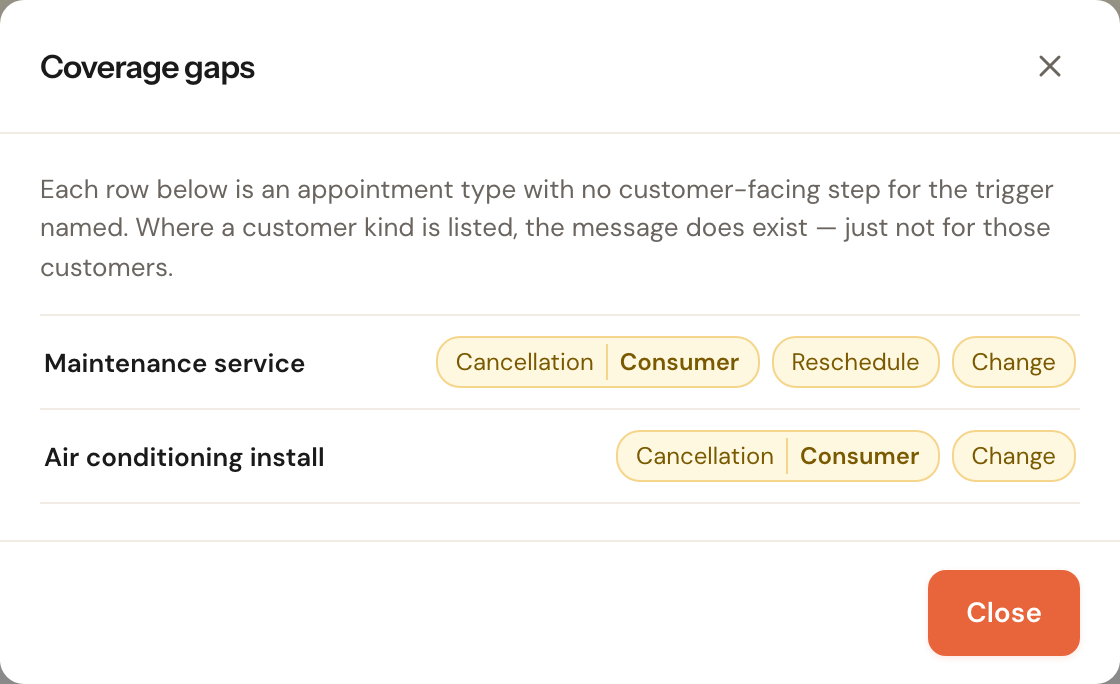
Schedulinq will not stop you narrowing your only confirmation to business customers and leaving consumers without one. That is your call, and the software invents nothing to fill the gap. No message is simply no message.
What you do get is visibility. Every narrowed step carries a label — on the timeline, in the list, and for screen readers.
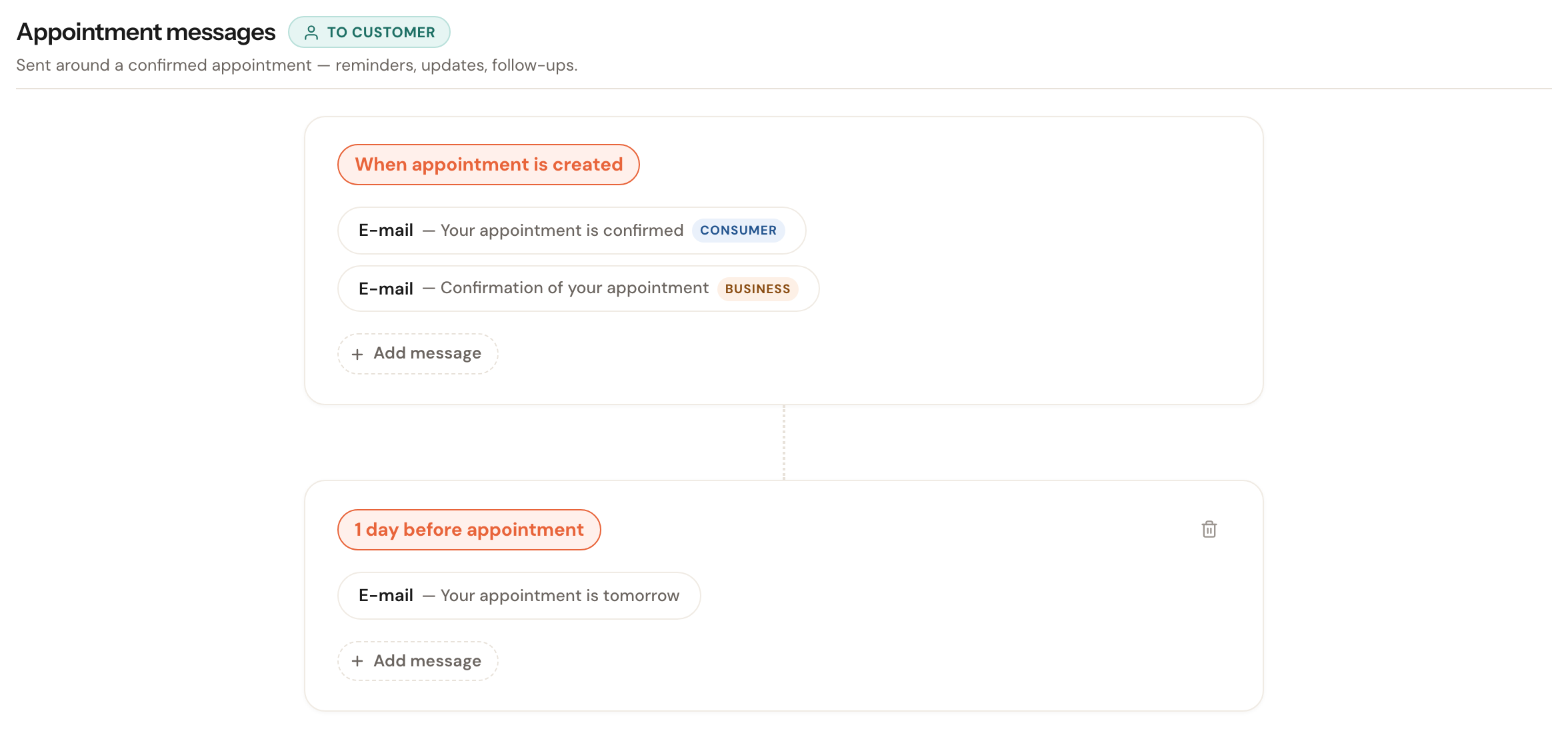
Only narrowed steps get a label. A step without one serves everybody — labelling every step "all customers" would bury exactly the ones that differ.
And the editor says so in as many words the moment you narrow a step:
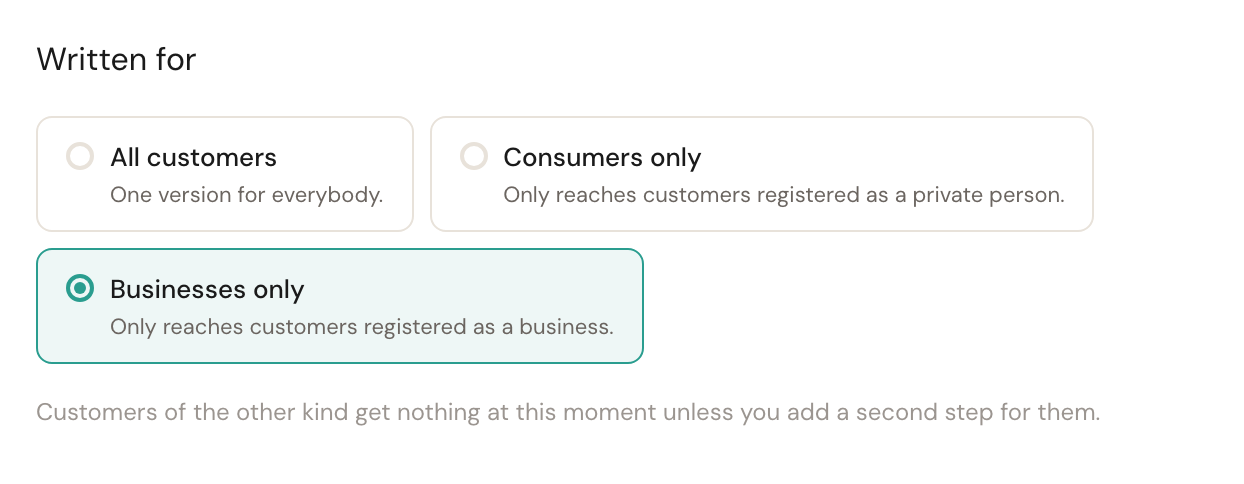
Narrow the step and the warning appears under the choice.
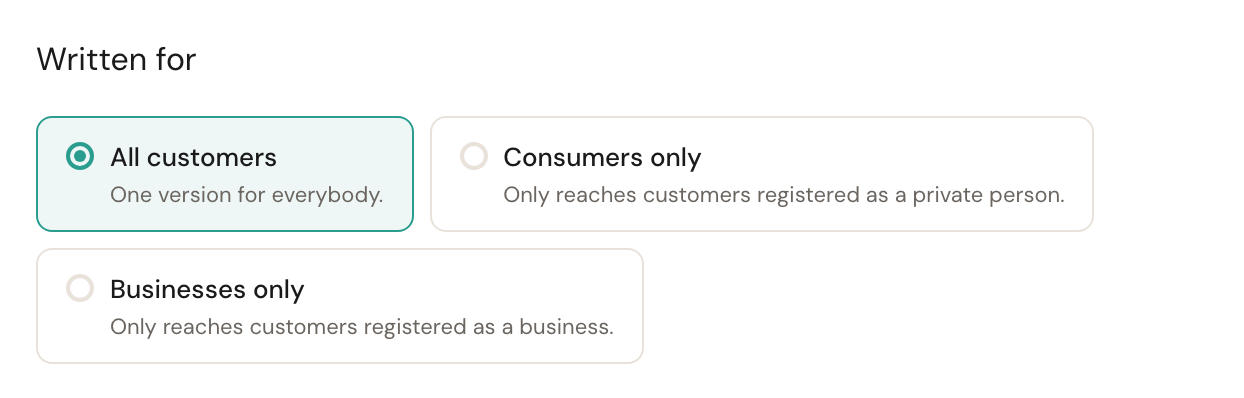
On All customers there is no gap, and the warning disappears.
Where you set it
Both axes live in the same editor, one below the other.
Written for sits right next to the copy you are writing, not tucked away behind a heading — a split you cannot see is a split you will forget half of.
Applies to sits at the foot of the form, collapsed. The ordinary case (all types) needs no control; open it to narrow.
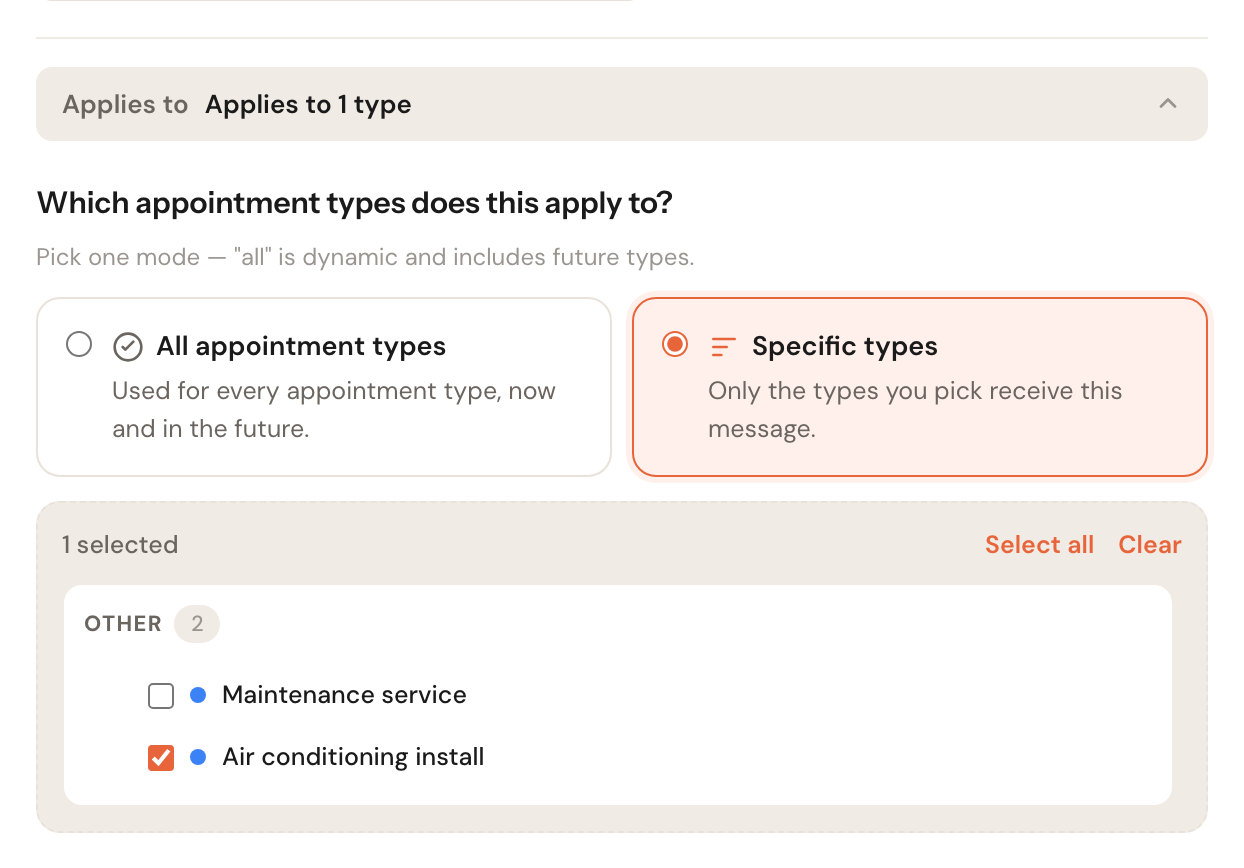
The appointment-type axis. All appointment types is dynamic: types you create later are included automatically.
Frequently asked questions
Why did this customer get this message and not the other one? Work through the table above with the two facts about that appointment: the appointment type, and the customer kind on their record. Remember that appointment type wins — a step narrowed to that type beats a step written specially for that kind of customer.
Two steps at the same moment — is that a conflict? No, as long as they are written for different kinds of customer. That is exactly what the feature is for. Schedulinq only warns when two steps at the same moment serve the same audience.
I changed a customer's kind. What happens to messages already scheduled? The choice is made when the message is composed, using the customer kind that applies then. Change someone from private to business and messages going out afterwards follow the business version.
Can I see what a customer would actually get? Yes — the window where you adjust a message before sending it picks the step in exactly the same way the automatic send does. What you see there is what the customer receives.