

Invoice template
The look of your invoice PDF — accent colour, fonts, logo height, header and footer text, and the layout.
Invoicing → Invoice template is where you decide how your invoice looks: the colours and fonts, the text above and below the line items, and where each part sits on the page. A live preview fills the left half of the screen; the settings are on the right.
What goes in the invoice — numbering, payment term, VAT rate — lives on Invoicing → Invoice settings. This screen is only about the look.
Look & feel
Schedulinq has three separately branded surfaces: your booking page, your emails and your invoice. They are independent, and the invoice uses just three things: an accent colour, fonts and the logo height.
Choose where the invoice takes its styling from:
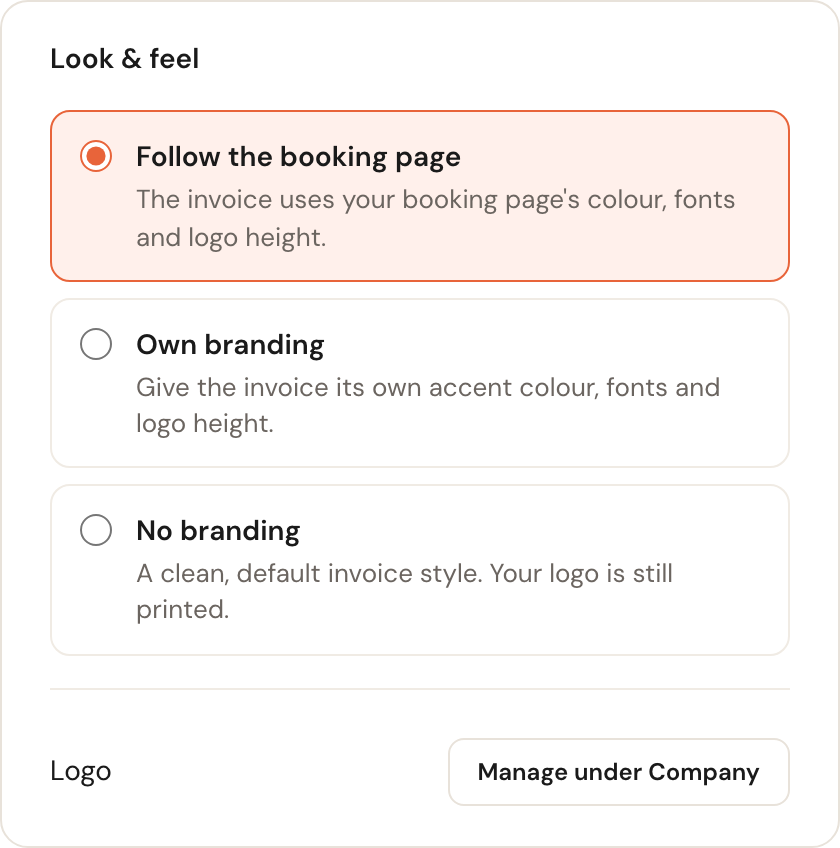
Follow the booking page
DefaultThe invoice uses your booking page's colour, fonts and logo height.
For most businesses this is the right answer: you maintain your branding in one place. And it genuinely follows — Schedulinq does not copy the colours onto your invoice, it looks them up each time. Change your booking page later and the invoice changes with it, without you touching this screen.
Own branding
The invoice gets its own accent colour, its own fonts and its own logo height.
Useful when your invoices should be plainer, or more formal, than your booking page. The fields open on the values your booking page currently uses, so switching over changes nothing at first — the invoice only diverges once you actually edit something.
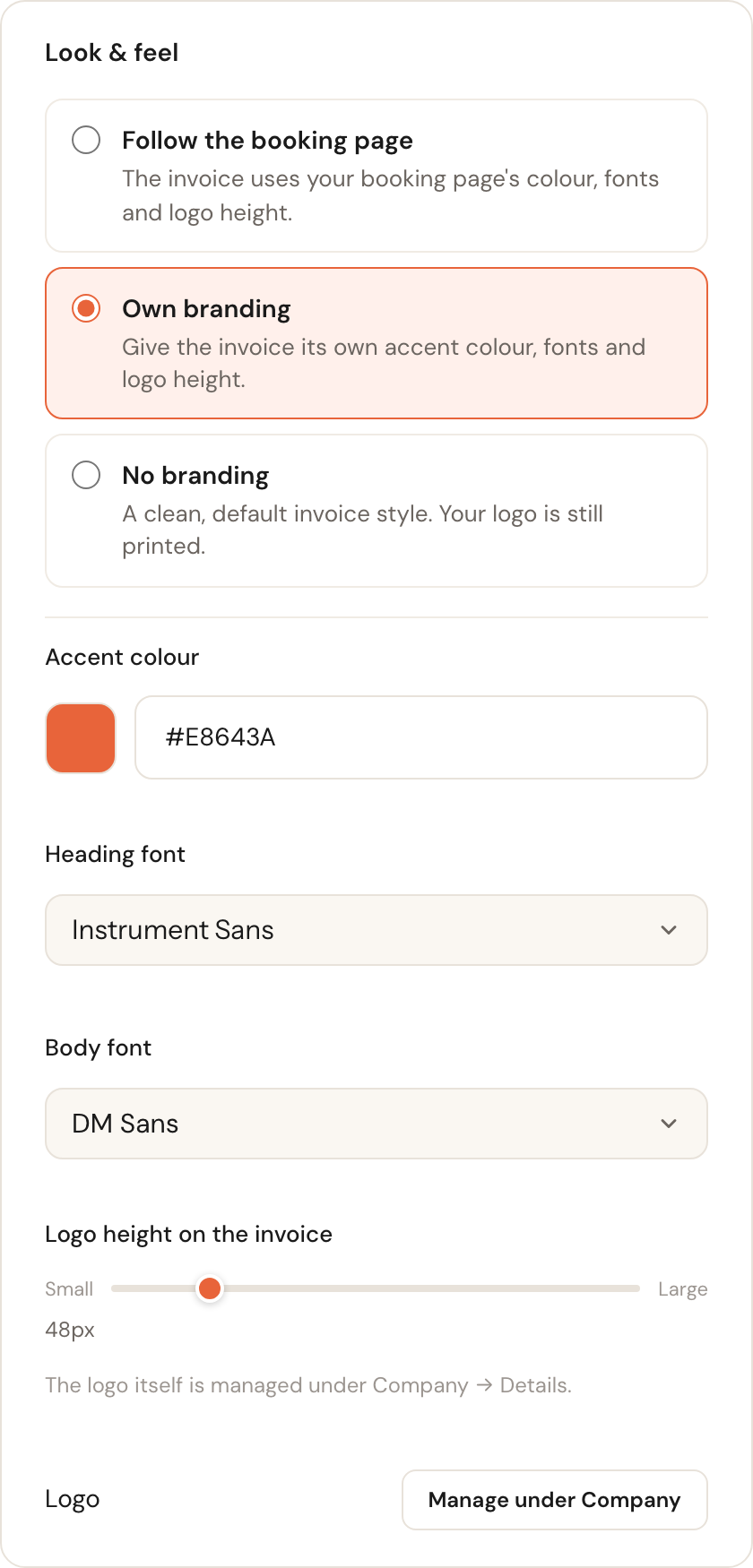
No branding
A clean, default invoice style with no colour accents.
A neutral business invoice reads better for some customers — and some bookkeepers — than a coloured one. Your logo is still printed with this choice.
Header and footer text
You can put a short intro above the line items and a footer at the bottom. Both are per language: the customer gets the text in their own language, and the flags choose which language you are editing. Only the languages your company supports are offered.
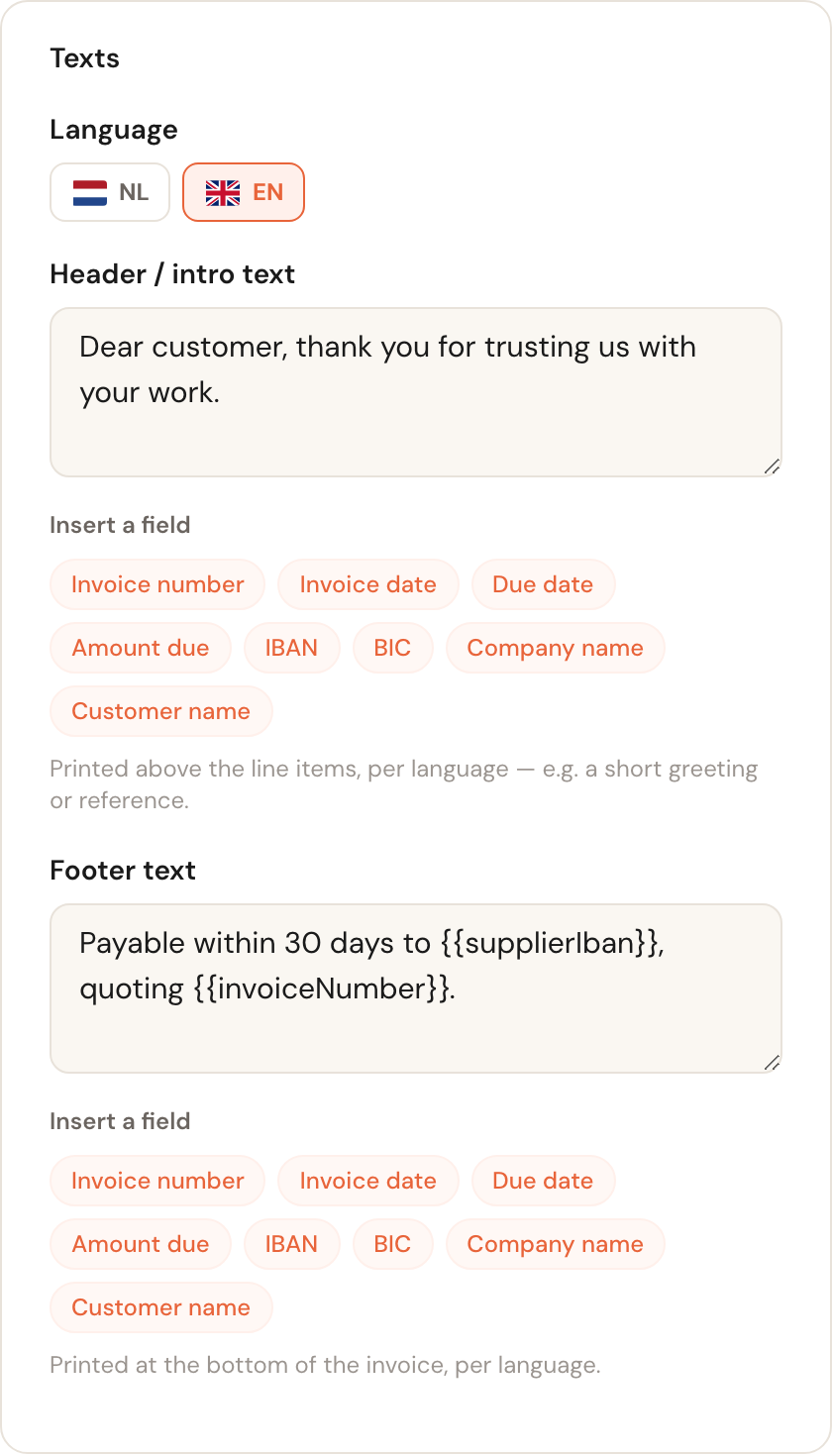
Both fields are meant for short text — 500 characters at most. The footer is the place for your payment details and payment terms.
Filling in details automatically
Below each text field is a row of buttons. Click one and Schedulinq inserts a reference at your cursor; when the invoice is created it is replaced by the real value.
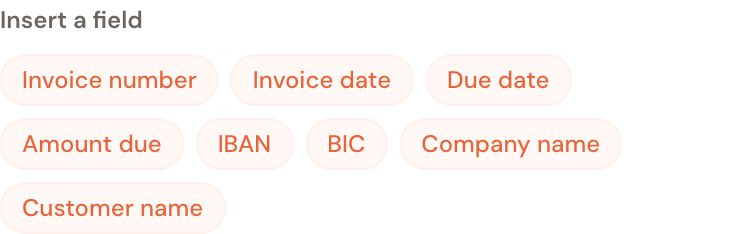
This saves you typing your IBAN or invoice number on every invoice — you write the
footer once and each invoice fills itself in. If you type a reference by hand, watch
the double braces: {{invoiceNumber}} works, {invoiceNumber} is printed
literally.
Layout
By default Schedulinq uses a fixed, tidy invoice layout. If you want to decide where the parts go, you can take that layout over and adjust it.
Click Customise layout. You get an editable copy of the standard arrangement and a list of every part of the invoice.
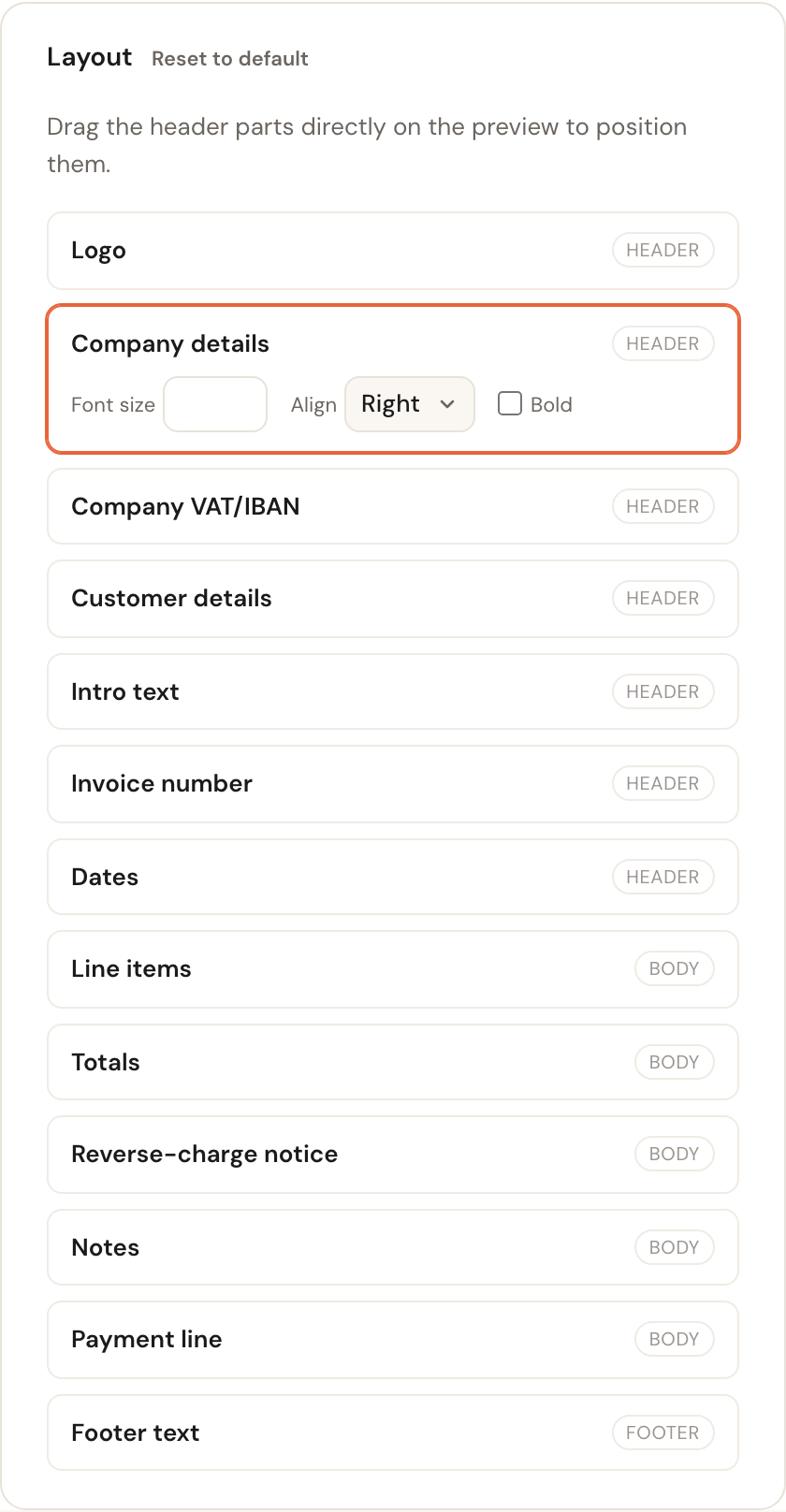
Every part belongs to a zone, and the zone decides what you can do with it:
- Header — logo, company details, your company's VAT number and IBAN, customer details, intro text, invoice number and dates. You drag these directly on the preview to position them.
- Body — the line items, totals, reverse-charge notice, notes and payment line. These sit in a fixed order and do not move.
- Footer — your footer text, at the bottom of every page.
Click a part in the list to change its styling: font size, alignment and bold. Leave a field empty and the part keeps the template's own styling.
Remember to click Save — the preview refreshes live, but it does not store anything on its own.
Frequently asked questions
I changed my booking page — does my invoice change too? If Follow the booking page is selected: yes, automatically. With Own branding or No branding it does not.
Where do I set my logo? Under Company → Details. This screen only controls the height it is printed at on the invoice.
Can I use a different layout per customer? No. The layout applies to all your invoices. You can write a different header and footer per language, though.
Why can't I drag the line items? They sit in a fixed order, as do the totals and the VAT notice. An invoice has to keep a recognisable, auditable structure; only the header is free to arrange.