

Using SMS and WhatsApp
Pick a step's channel, keep the cost predictable, and know what happens when a message cannot be delivered.
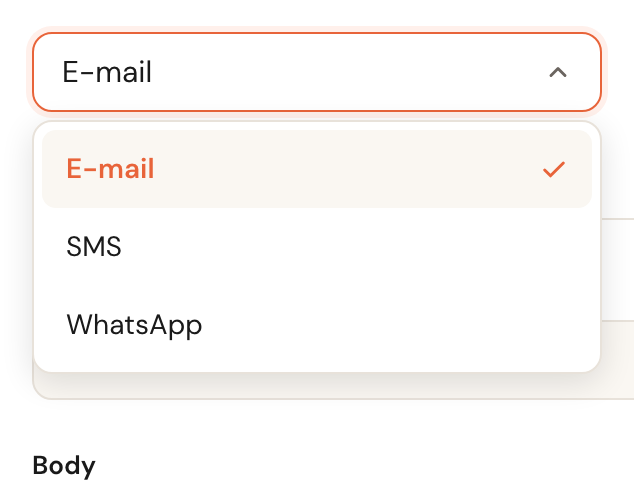
Every communication step sends through one channel: e-mail, SMS or WhatsApp. This guide is about using them — connecting WhatsApp itself is covered in Connect WhatsApp.
You choose the channel once
The channel belongs to the step. You pick it when you create the step, and it cannot be changed afterwards: open an existing step and there is no channel selector at all.
SMS and WhatsApp during your trial
Not availableBoth channels are greyed out in the selector during a trial. E-mail works as normal.
Both cost money per message. They open up as soon as your subscription is active.
WhatsApp only appears as an option once your organisation has a working connection.
Without one there is no sender and no approved template, so a step you set to WhatsApp today would never go out.
What SMS costs
An SMS costs €0.15 per message, billed automatically on top of your subscription — on your Schedulinq invoice, at the end of each billing period.

There is a counter under the text box. Up to 160 characters your message is one SMS. Beyond that it is split, and you pay per part.


Past 160 characters the counter changes colour and tells you how many messages it will become — and therefore how many times you pay.

Merge fields count too
Fields like {{customerFirstName}} are replaced with real text when the message
goes out. The counter estimates their length in advance — that is what the ~
in front of the number means.
The estimate assumes the longest thing that could land there, such as the longest appointment-type name in your catalogue. If it fits according to the counter, it fits in practice.
WhatsApp sends templates, not free text
The text you write on a WhatsApp step is not a message but a template. Saving submits it to Meta for approval, and nothing is sent until it is approved.

WhatsApp is not on your Schedulinq invoice: WhatsApp (Meta) bills it to you directly, at about €0.045 per message — the figure the message window shows beside the channel. An SMS costs €0.15, which is why the fallback below is off by default.
What happens when a message cannot be delivered
WhatsApp can fail for several reasons: the template is not approved yet, the customer has opted out, or there is no phone number on file. What happens next is your choice.

Fall back to SMS
Off by defaultWith this on, the message goes out as an SMS whenever WhatsApp does not work. The message history will then show SMS, because that is what was actually sent.
An SMS costs more than a WhatsApp message. Schedulinq therefore never decides on its own to move to the more expensive channel — you have to switch it on. Leave it off and the message simply is not delivered.
An SMS that cannot be sent is not converted into anything else either. The most common reason is the simplest one: the customer has no phone number.
Customers who opt out
A customer opts out by replying STOP to a WhatsApp message, and back in with START. Schedulinq handles this automatically — there is nothing for you to do, and nothing you may override.

You can see it on the customer record. This customer receives no more WhatsApp messages; with the SMS fallback on, they receive them as SMS instead.
Quiet hours
Messages are not sent in the middle of the night: quiet hours are on by default, from 21:00 to 08:00. Anything falling inside that window waits until it is allowed again. See Quiet hours for the exceptions.

Frequently asked questions
Can I change the channel of an existing step? No. Create a new step and delete the old one.
My WhatsApp step is not sending. Check in this order: is the template approved by Meta, does the customer have a phone number, and have they opted out? With the SMS fallback off, nothing gets sent at all.
A step set to WhatsApp shows SMS in the history. The fallback was used: WhatsApp did not work and the message went out as SMS. The history shows the channel actually used.
Can I use WhatsApp for messages to my own team? No, WhatsApp is for customers only. Put team notifications on e-mail or SMS.