

At the customer or on location
One choice on the appointment type — at the customer, on location, as a video call or a phone call — decides which address the appointment gets, which roster blocks count, and what your customer picks when booking.
Every service you offer answers one question: do you go to the customer, does the customer come to you, or do you talk over a video or phone call? You set it once on the appointment type, but the choice carries through to four places — the address on the appointment, the roster blocks that count, the travel time between two jobs, and what your customer picks while booking.
No single screen shows all of that. This page does.
The choice in short
| You choose | The appointment gets this address | The roster block's workplace must include |
|---|---|---|
| At the customer's address | The address the customer gives for that appointment | At the customer |
| At one or more locations | The location's address | At a location, at that location |
| Video call | No address — a link to the call | Video call |
| Phone call | No address — you call the customer | Phone call |
| Several at once | Whatever the customer picked when booking | Whatever goes with that choice |
Where you set it
On the appointment type, under Where does this take place?. These are four independent tick-boxes rather than a single choice — At one or more locations, At the customer's address, Video call and Phone call. More than one is fine, and at least one has to be on.
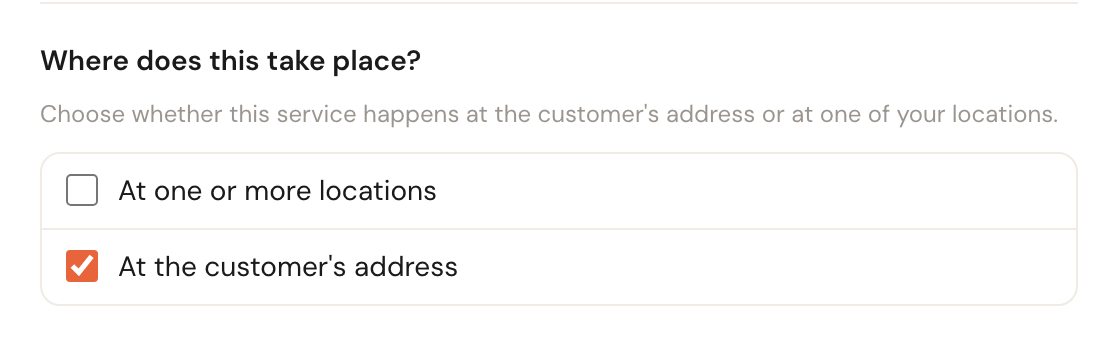
The default for a new appointment type: you travel to the customer.
Tick At one or more locations and a second list appears. That is where you choose which of your branches this service can be booked at — and it is required, because without a location there is no address to put the appointment on.
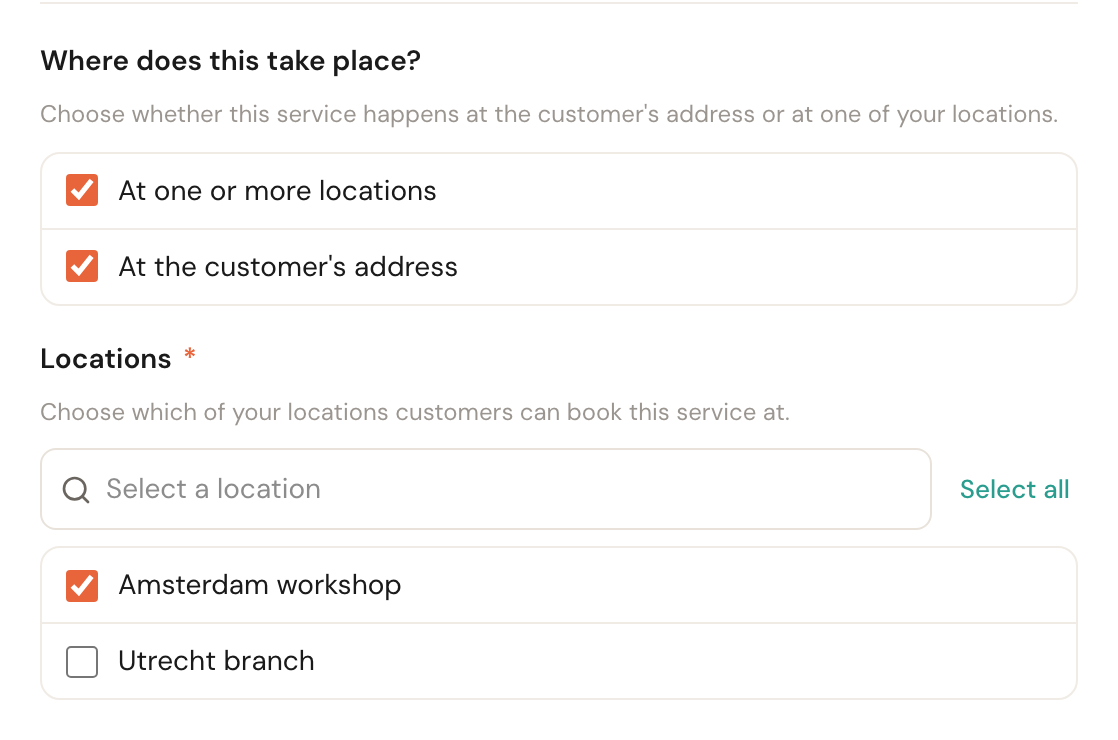
Several ticked: the customer decides whether to come to you, have you come out, or talk to you on a video call.
What then happens to the address
This is the part you cannot see on screen, and it explains most of the surprises that turn up afterwards.
At the customer. The appointment gets the address the customer fills in for that appointment. Every appointment has its own address: the boiler at home and the heat pump at the rental next door go in one booking. For a second service the customer picks Same address as the first, or A different address.
At a location. The appointment gets the location's address — never the customer's. For a service offered at several locations the address comes from the roster block that actually serves the booking; where that cannot be determined, Schedulinq falls back to the service's first location so there is always an address.
A call. A video or phone call has no address and no location. The customer fills in no address, no travel time is counted, and the address on the customer record stays as it was. A video call gets a link to the call, made in the colleague's calendar — see Connect your calendar. For a phone call you call the customer, which is why the booking page always asks for their phone number.
Several at once. This depends on what happens during booking: if the customer picked a location, the location's address applies; if they picked a call, there is no address. Otherwise it is simply an appointment at the address they give.
The address on the customer record is the billing address
The Address on the customer record is where the invoice goes, not where you work. A booking only fills it in while it is still empty:
- If the booking has one appointment address, that becomes the address on the customer record — unless the customer ticks on the details step that they live somewhere else (for a business: that the invoice goes to a different address) and fills that address in.
- If the appointments are at different addresses, the details step asks for their own address (for a business: the billing address).
- If everything takes place at a location or as a call, the page does not ask.
A customer who already has an address on their record keeps it, whatever they type. You change it yourself on the customer record. Appointments and invitations you and your team create yourselves never change the address on the customer record. How to word the details step's questions is in Your booking page.
The roster has to agree
This is where it goes wrong in practice. An appointment type says where a service may happen; the roster says where someone works that day. When the two do not line up you get no error — you get zero available times.
Every roster block therefore carries its own Workplace — one or more of At the customer, At a location, Video call and Phone call — and for At a location a Location as well.
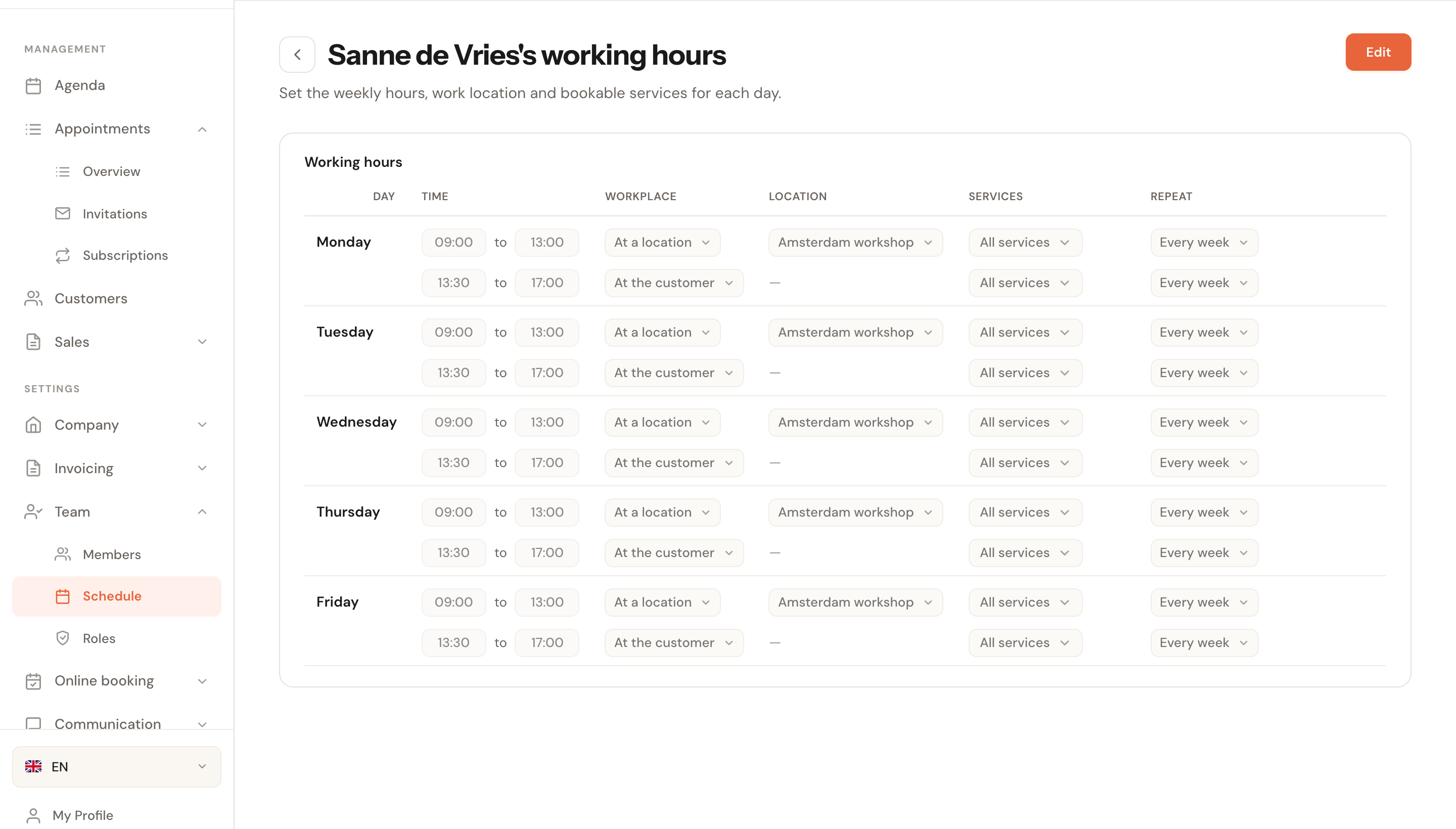
Mornings in the workshop, afternoons out on the road with video calls in between. Two blocks on one day is how you record exactly when someone is where.
The rule Schedulinq applies:
- An appointment at the customer only uses blocks whose workplace includes At the customer. Whichever location the block names is irrelevant.
- An appointment at a location only uses blocks whose workplace includes At a location, and then only blocks at one of that service's own locations.
- A video call only uses blocks with Video call in the workplace, a phone call only blocks with Phone call.
- A block whose workplace was never set counts as At the customer.
A block with At the customer and Video call is the usual way to plan calls in between your visits. Whether a call may then also fall during a drive between two customers is set under Booking rules. And a block without At the customer — only calls, or only at a location — can offer every free time on a fixed grid: see Show every free time.
If a service can be a video or phone call but none of the staff who perform it has a block that takes such a call, the service's form says so under Where does this take place?: None of the selected staff has a schedule block that takes video calls, so they can't be booked.
There is more on how availability is produced in Duration and availability.
What your customer picks
On your booking page the customer first chooses where the appointment happens — at their own address, at one of your branches, as a Video call (Online, through a link we e-mail you) or a Phone call (We call you on the number you give us) — and only then the service. You change those words on the Where step tab of your booking page. One booking covers one destination: services not delivered there cannot be added to that same basket. So a basket with a video call only holds services that can be a video call.
For a call, the calendar shows the times in the customer's own time zone, and names that time zone when it differs from your company's: Times in your time zone: …. After booking, the appointment's page shows a video call's Join the video call button, or — while the link is not there yet — The link to the video call follows by e-mail.
So your choice here also decides what customers can combine. Offer a service in more than one way and it shows up under each of those destinations. A service that is not delivered at the chosen destination is not in the list there.
Only locations customers can book count. A service that takes place only on location, at locations that are all set to Online booking: No or have been deleted, is not on your booking page at all — see Add a location.
When the chosen place has nothing
For a booking at one of your locations, Schedulinq checks whether it can be done there as soon as the customer presses Next on their services — before they fill in their details. If nobody works there for the service, the customer gets Choose another location and keeps the services they picked. For a service you offer both at the customer's address and at a location that nobody can do at the customer's address, the page says This service can't be booked at your address instead of that there are no times. See No times are available.
Three optional settings help a customer find the place that does work, all under Online booking → Public page:
- Offer other places — on the page that says it cannot be booked here, a card per location where it can, with the first free date. See Book elsewhere.
- Point out a sooner time at another location — when the chosen location has nothing this week, the calendar names up to three locations that have something sooner.
- Show times from all locations — the list view on the date & time step shows the times of all locations that offer the service, each labelled with its location.
The last two are described under The date & time step. All three are off by default. A booking still covers one destination: a customer who picks a time at another location moves the whole booking there.
Reading it back in your catalogue
The appointment types overview has a Where column. It shows at a glance what you set: the names of the branches, At customer, Video call and Phone call, each as a label of its own.
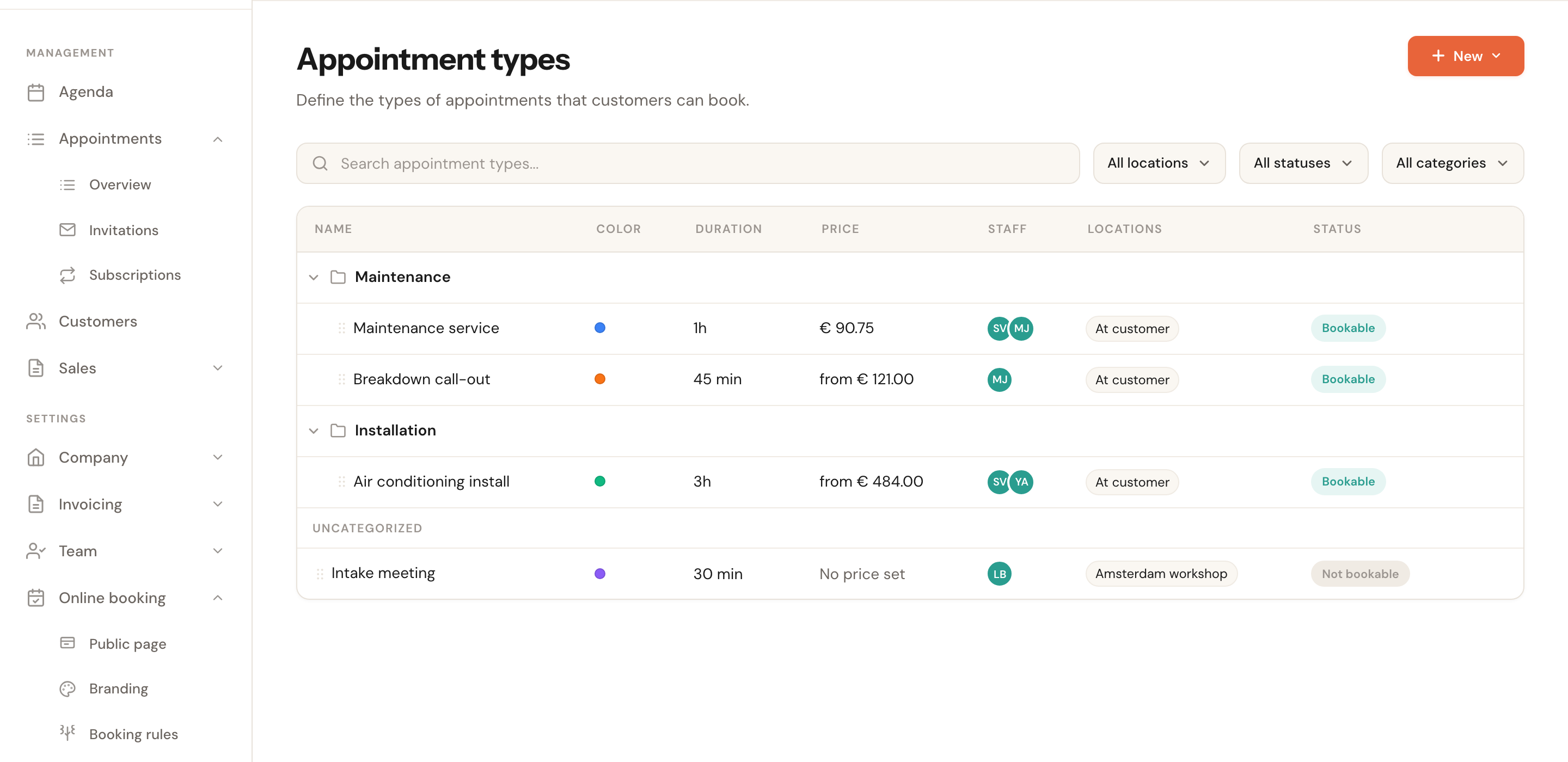
Useful as a check after setting things up — a service pointed at the wrong destination stands out immediately here.
Frequently asked questions
Can I switch this later? Yes. Existing appointments keep the address they were booked with; the change applies from the next booking onwards.
I switched a service to on location and now nothing is bookable. Check that your colleagues' roster blocks sit at that location. Changing the appointment type alone is not enough — the roster decides whether anyone is there.
Do I need a separate appointment type per branch? No. One service can be booked at several branches; tick them all in the Locations list.
What if I tick nothing? You cannot — you get a message and the service is not saved. Without an answer to this question there is no address to build an appointment from.