

Invoices from Schedulinq
View, download and find your own subscription invoices — and who is allowed to see them.
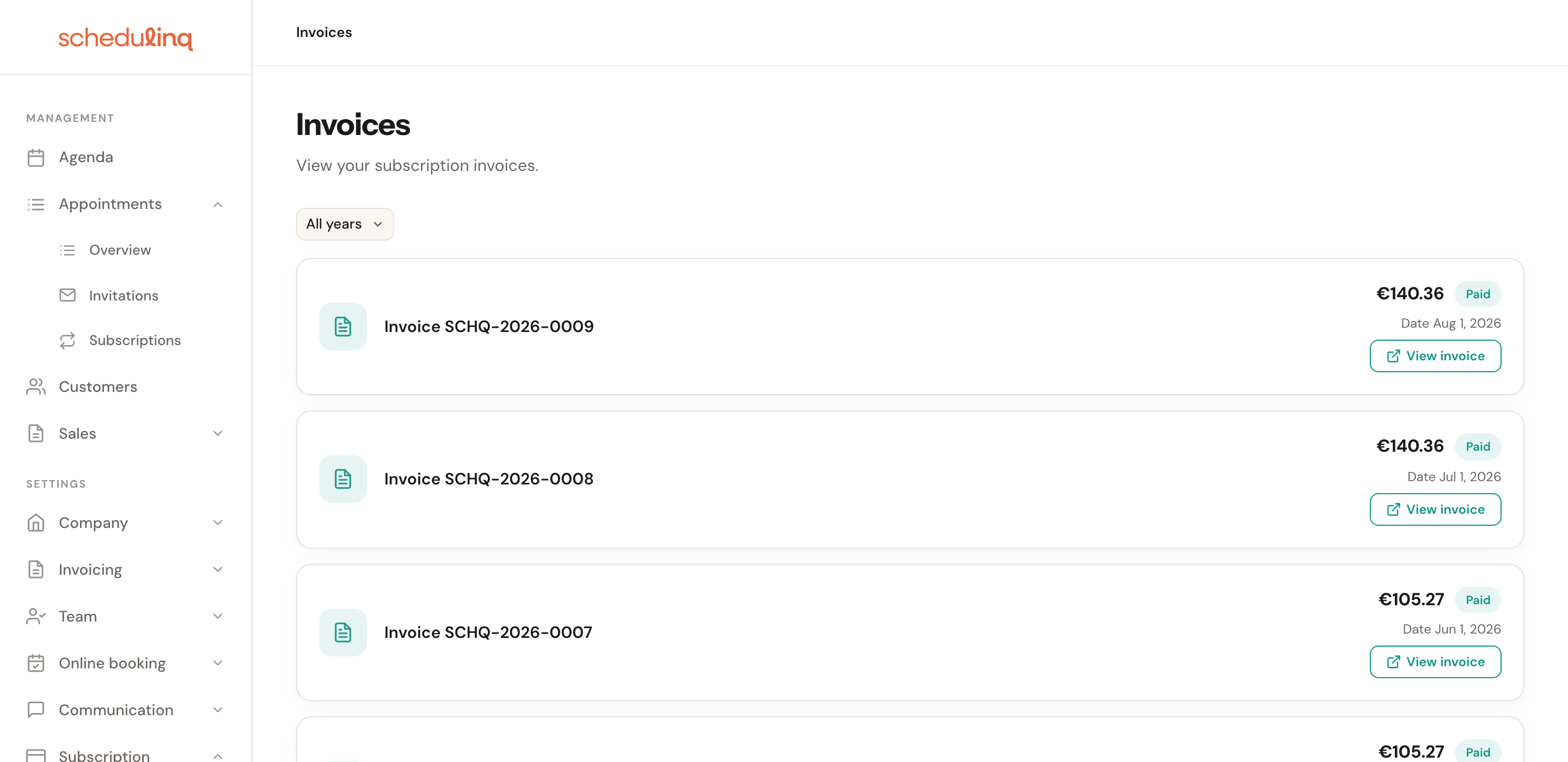
Subscription → Invoices lists every invoice Schedulinq has sent you. This is where you find your monthly subscription charges, open and download them, and filter by year for your bookkeeping.
Who can see this page
Access to this page is a separate permission (Invoices), independent of admin rights. That is deliberate: your bookkeeper can collect your invoices without also being able to change your subscription or your payment method — those sit on Subscription → Overview, which is admin-only.
See Subscription and seats for assigning permissions and for your payment details.
What a row shows
Each row shows the invoice number, the amount including VAT, the date and a label with the invoice's status.

| Label | What it means |
|---|---|
| Paid | The amount has been collected. Nothing left to do. |
| Open | Final, but not paid yet. Usually the payment is simply on its way — a SEPA direct debit can take a few days. If a payment failed, Subscription → Overview says so and what to do. |
| Draft | Still being prepared at our payment provider. It becomes Open or Paid by itself. |
| Void | Cancelled at our payment provider. There is nothing to pay. |
| Uncollectible | Collecting it failed and our payment provider has stopped trying. It is not paid: see your status under Subscription → Overview. |
Opening or downloading an invoice
Click View invoice
The invoice opens in a new tab at our payment provider. The full invoice is there, along with a button to download it as a PDF.
Is your browser blocking the tab?
The button opens a new window, so a pop-up blocker can stop it. Allow pop-ups for Schedulinq and try again.
Finding a particular year
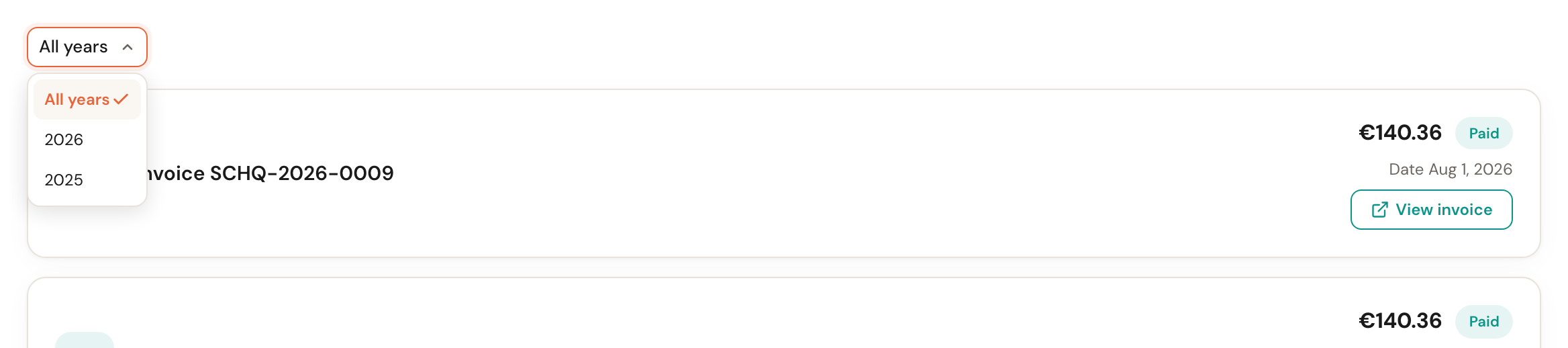
As soon as there are invoices from more than one year, a year picker appears above the list. Useful at the end of your financial year: pick the year and only those invoices remain.
If there are more invoices than fit on one page, paging controls appear at the bottom, where you can also set how many rows to show per page.
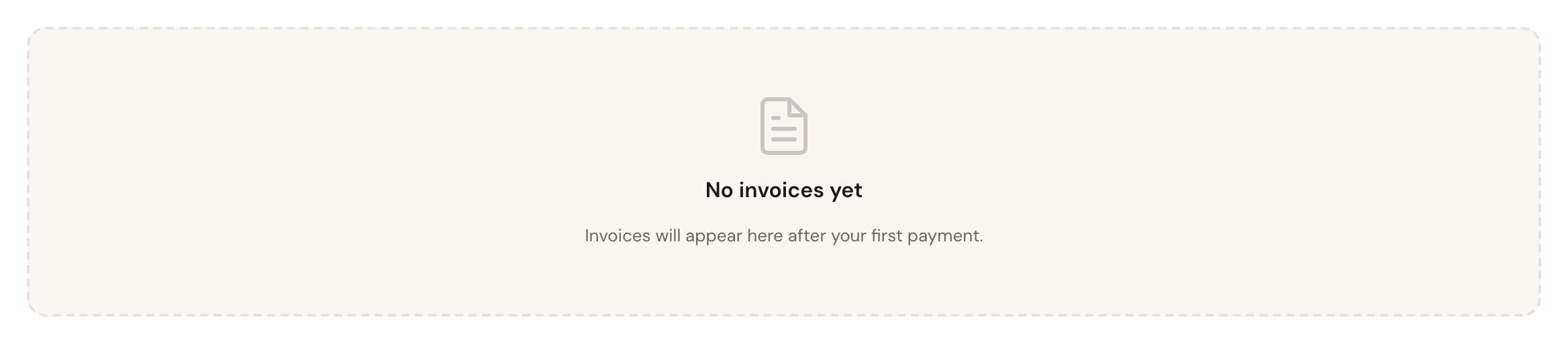
No invoices yet
Until your first payment has been processed the list is empty. That is normal — your first invoice appears here on its own.
Frequently asked questions
Can I download all invoices at once? No, you open them one at a time. Filter by year to gather one financial year's invoices quickly.
I cannot see this page in the menu. You do not have the Invoices permission. Ask an administrator to add it to your role.
Where do I change my payment method or billing details? Not here — that goes through Subscription → Overview, and from there to our payment provider's secure environment.