
Webhooks
Hear about every change — add an endpoint, verify the signature, answer quickly, and know what happens when your server is down.
A webhook tells your own system what changed in Schedulinq the moment it happens: an
appointment booked, moved or cancelled, an invitation booked or expired, a team member
who joined. Schedulinq sends a signed POST to an address of yours, an endpoint,
carrying the changed appointment, invitation or team member in the same shape as the
API's reads. Which events there are is listed in
Webhook events.
Add an endpoint
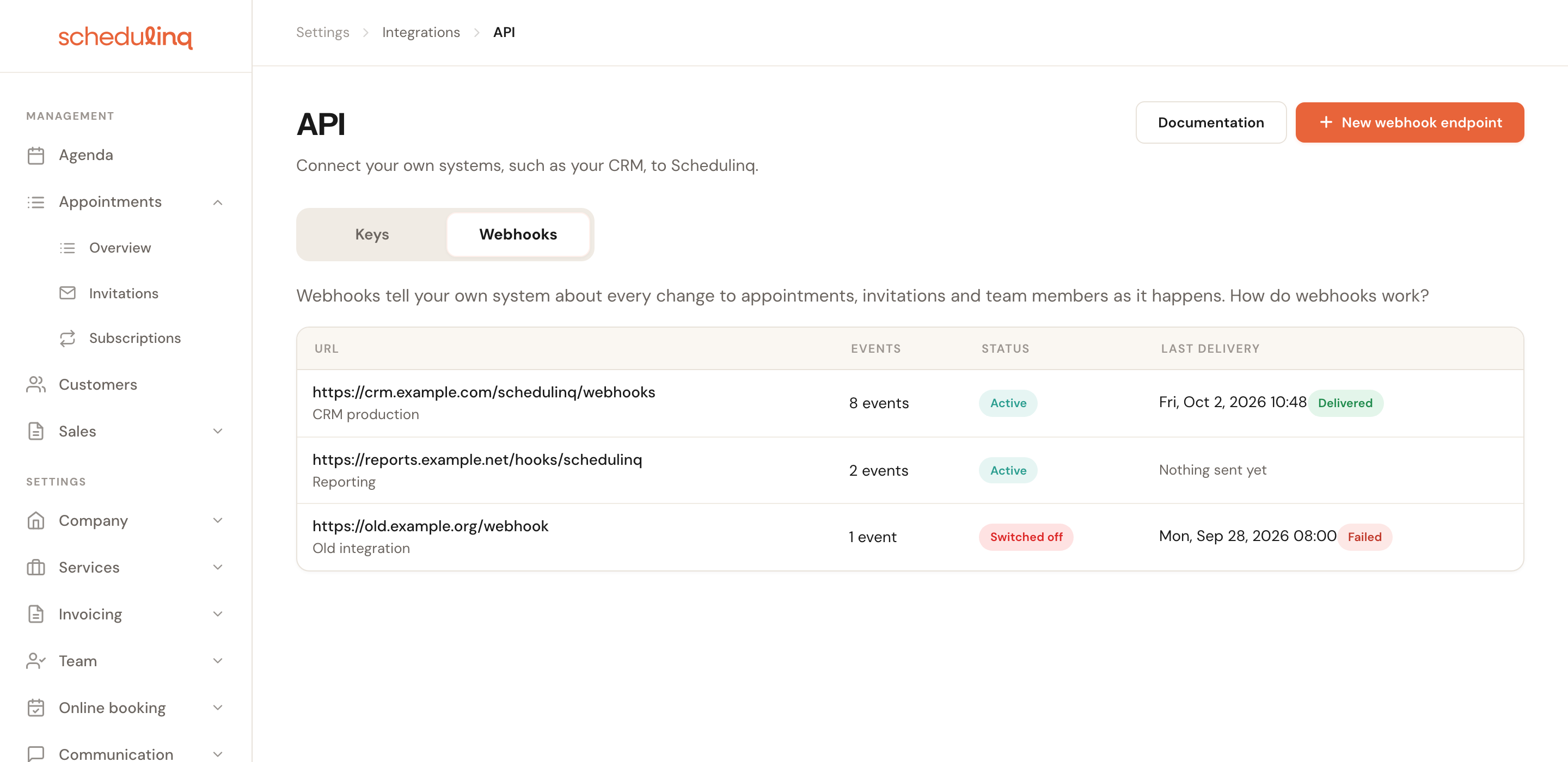
Open Integrations → API → Webhooks
Only admins see this page. Click New webhook endpoint.
Fill in the endpoint
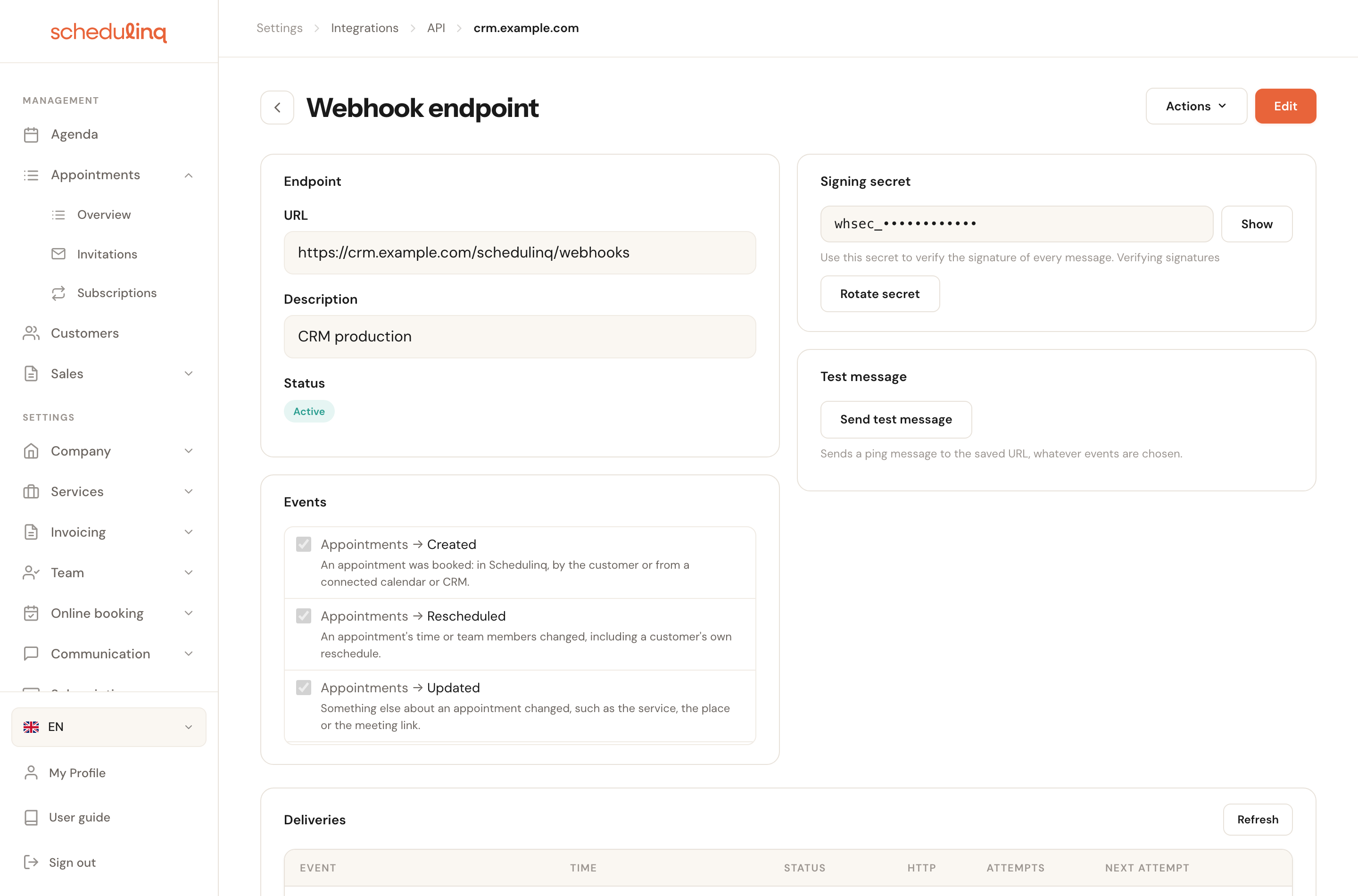
- URL: the address of your receiver.
httpsonly; an address in a private network is refused under the field. - Description: for yourself, for example "CRM production".
- Events: grouped as Appointments, Invitations and Team members, each with a line saying when it is sent. Only what you tick is sent.
- URL: the address of your receiver.
Save, and copy the signing secret
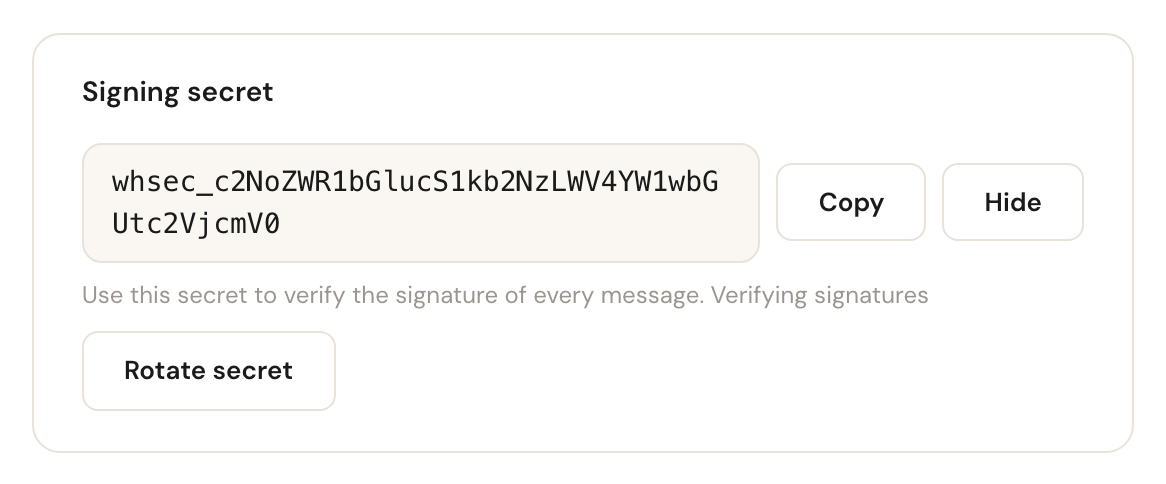
The Signing secret card shows the secret behind Show. Your receiver needs it to verify every message; see Verify the signature.
An organisation has at most ten endpoints; switched-off ones count too. Every admin gets an e-mail when an endpoint is added, deleted, switched off, or pointed at another URL. The mail names only the host, never the path or the query, which may hold a token of your own.
Test it
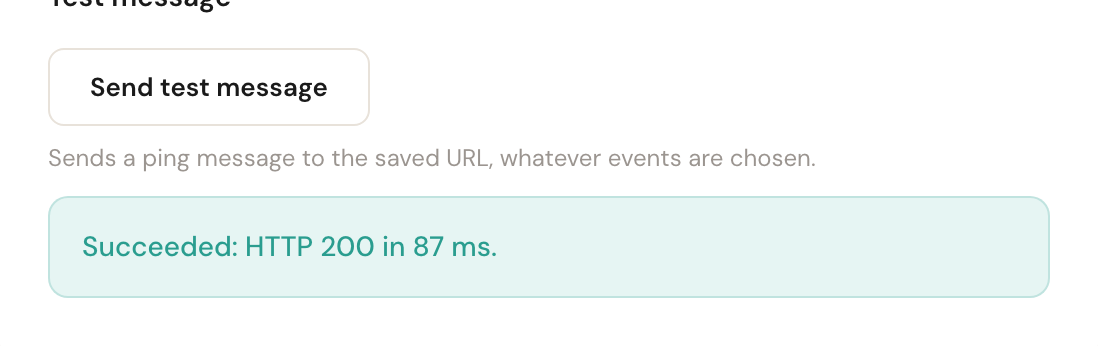
Send test message sends a ping to the saved URL straight away, whatever events are
ticked, and shows the result under the button: the HTTP status and how long it took, or
why it failed. It also works on a switched-off endpoint, so you can check a fix before
switching it back on.
What a delivery looks like
A POST with Content-Type: application/json; charset=utf-8 and three headers:
webhook-id— the event's id (evt_and 32 hexadecimal characters). It is the same on every retry and resend of the event, so it is your key for deduplication.webhook-timestamp— when this attempt was sent, in Unix seconds.webhook-signature— the signature; see below.
The body is an envelope with type, timestamp and data. See
Webhook events.
Verify the signature
Every message is signed following Standard Webhooks, so a library for your language can do the work. Check your own verifier against this signed example first: it must accept it when your clock is set to its timestamp.
| Headers | |
|---|---|
webhook-id | evt_docs_example |
webhook-timestamp | 1790843400 |
webhook-signature | v1,7GSiRxTS1D5qTXrlLqBicxVBeWUju4nR1/HZ0lp+/wE= |
Secret (example, not real)
whsec_c2NoZWR1bGlucS1kb2NzLWV4YW1wbGUtc2VjcmV0Signed content
evt_docs_example.1790843400.{
  "type": "ping",
  "timestamp": "2026-10-01T08:30:00Z",
  "data": {
    "endpointId": "00000000-0000-0000-0000-000000000001"
  }
}
The algorithm, if you write it yourself:
- Take the part of the secret after
whsec_and decode it from base64. That is the key. - Compute HMAC-SHA256 with that key over
<webhook-id>.<webhook-timestamp>.<body>, and encode the result in base64. - The
webhook-signatureheader holds one or more entries separated by spaces, eachv1,<signature>. Accept the message when one of them equals yours, compared in constant time. - Refuse a
webhook-timestampmore than five minutes away from your clock, so an old message cannot be replayed.
Two rules matter in every language:
- Verify the raw body, exactly the bytes that arrived. Parsing the JSON and writing it out again changes the bytes and breaks the signature.
- Answer 400 to a message that fails, also when headers are missing or malformed — never let it crash into a 500.
Node.js
// Node.js (Express) — npm install express standardwebhooks
import express from "express";
import { Webhook } from "standardwebhooks";

const wh = new Webhook(process.env.SCHEDULINQ_WEBHOOK_SECRET); // whsec_…
const app = express();

app.post("/schedulinq/webhooks", express.raw({ type: "application/json" }), (req, res) => {
  let event;
  try {
    event = wh.verify(req.body.toString("utf8"), req.headers);
  } catch {
    return res.status(400).end();
  }
  // Deduplicate on req.headers["webhook-id"], queue the work, answer fast.
  res.status(204).end();
});

app.listen(3000);
PHP
<?php // composer require standard-webhooks/standard-webhooks
require 'vendor/autoload.php';

$wh = new \StandardWebhooks\Webhook(getenv('SCHEDULINQ_WEBHOOK_SECRET'));
$payload = file_get_contents('php://input');
$headers = array_change_key_case(getallheaders(), CASE_LOWER); // the library reads lower-case keys

try {
    $event = $wh->verify($payload, $headers);
} catch (\Exception $e) {
    http_response_code(400);
    exit;
}
// Deduplicate on $headers['webhook-id'], queue the work, answer fast.
http_response_code(204);
Run it with display_errors off, as in production. On a malformed signature header the
library raises a PHP warning before it refuses the message; a warning printed to the
response sends the headers early, and the 400 then goes out as a 200.
Python
# Python (Flask) — pip install flask standardwebhooks
import os
from flask import Flask, request, abort
from standardwebhooks.webhooks import Webhook

wh = Webhook(os.environ["SCHEDULINQ_WEBHOOK_SECRET"])
app = Flask(__name__)

@app.post("/schedulinq/webhooks")
def schedulinq_webhook():
    try:
        event = wh.verify(request.get_data(), dict(request.headers))
    except Exception:  # WebhookVerificationError, or a ValueError on a malformed header
        abort(400)
    # Deduplicate on request.headers["webhook-id"], queue the work, answer fast.
    return "", 204
C#
// C# (ASP.NET Core) — no package: the algorithm itself
using System.Globalization;
using System.Security.Cryptography;
using System.Text;

var builder = WebApplication.CreateBuilder(args);
var app = builder.Build();

static bool Verify(string secret, string id, string timestamp, string body, string signatures)
{
    // Missing or malformed headers are a refusal, never an exception (a 400, not a 500).
    if (string.IsNullOrEmpty(id) || string.IsNullOrEmpty(timestamp) || string.IsNullOrEmpty(signatures))
        return false;
    if (!long.TryParse(timestamp, NumberStyles.None, CultureInfo.InvariantCulture, out var sent))
        return false;
    if (Math.Abs(DateTimeOffset.UtcNow.ToUnixTimeSeconds() - sent) > 300) return false;

    var key = Convert.FromBase64String(secret.StartsWith("whsec_") ? secret[6..] : secret);
    using var hmac = new HMACSHA256(key);
    var expected = Encoding.UTF8.GetBytes(Convert.ToBase64String(
        hmac.ComputeHash(Encoding.UTF8.GetBytes($"{id}.{timestamp}.{body}"))));
    foreach (var entry in signatures.Split(' ', StringSplitOptions.RemoveEmptyEntries))
    {
        var parts = entry.Split(',', 2);
        if (parts.Length == 2 && parts[0] == "v1" &&
            CryptographicOperations.FixedTimeEquals(Encoding.UTF8.GetBytes(parts[1]), expected))
            return true;
    }
    return false;
}

app.MapPost("/schedulinq/webhooks", async (HttpRequest request) =>
{
    using var reader = new StreamReader(request.Body);
    var body = await reader.ReadToEndAsync();
    // ToString() gives "" for an absent header, never null.
    var ok = Verify(Environment.GetEnvironmentVariable("SCHEDULINQ_WEBHOOK_SECRET")!,
        request.Headers["webhook-id"].ToString(), request.Headers["webhook-timestamp"].ToString(), body,
        request.Headers["webhook-signature"].ToString());
    return ok ? Results.NoContent() : Results.BadRequest();
});

app.Run();
NumberStyles.None accepts digits only, so a strange timestamp is refused before any
arithmetic can overflow.
Answer quickly
Any 2xx answer within 10 seconds counts as delivered. Anything else is a failure: another
status, a timeout, or a redirect, which is not followed. So verify the signature, store
or queue the message, answer 204, and do the real work afterwards.
Retries and switching off
A failed delivery is tried again after:
| Retry | After |
|---|---|
| 1 | 5 seconds |
| 2 | 5 minutes |
| 3 | 30 minutes |
| 4 | 2 hours |
| 5 | 5 hours |
| 6 | 10 hours |
| 7 | 10 hours |
That is eight attempts over 27 hours and 35 minutes. After the last one the delivery is
Failed. Every attempt is signed again with its own webhook-timestamp.
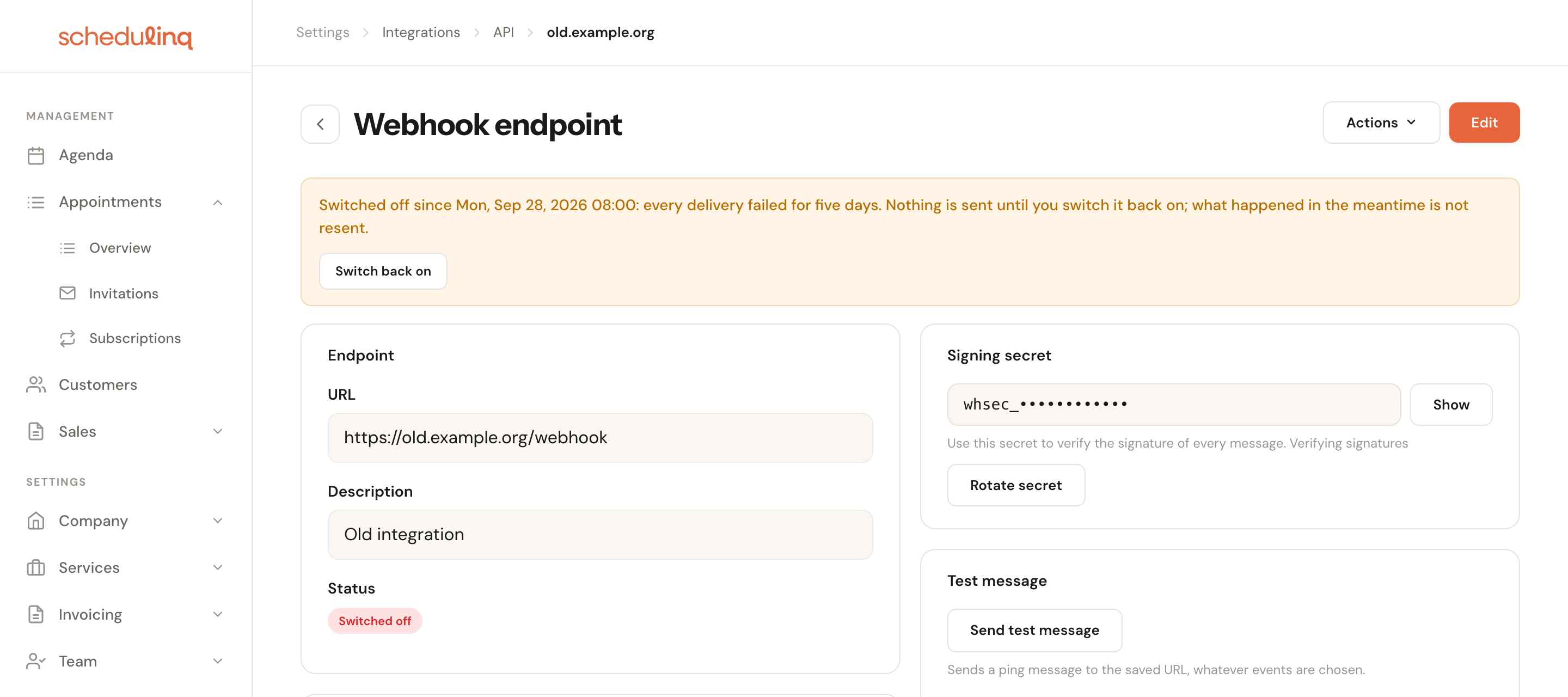
An endpoint that has failed every delivery for five days is switched off, and every admin gets an e-mail. Switching it off also fails its open deliveries. Switch back on starts sending again, but resends nothing that happened in the meantime: resend those one by one from the deliveries table. Resending is not possible while the endpoint is off.
Order and duplicates
Delivery is at least once, and the order is not guaranteed.
- Deduplicate on
webhook-id. - Every payload carries
data.version, which increases per appointment, invitation or team member. Keep the highest version you processed, and drop an event with a lower one: it is older than what you already have. Versions can skip numbers.
Rotate the secret
Rotate secret creates a new secret. The previous one keeps signing beside it for 24
hours, so in that time every message carries two signatures in webhook-signature, the
new one first. Put the new secret in your receiver within those 24 hours; a verifier that
accepts any matching v1 entry keeps working throughout.
Rules for your endpoint
httpsonly, at most 2,048 characters, without a user name, password or#fragmentin it.- No address in a private network: private, loopback, link-local, shared (CGNAT), multicast and reserved addresses are refused. This is checked when you save, and again for every delivery.
- Redirects are not followed.
- A 10-second timeout.
Rely on the signature, not on IP addresses: Schedulinq publishes no fixed sending addresses. For local development, use a tunnelling service that gives your machine a public https address.
Deliveries in the dashboard
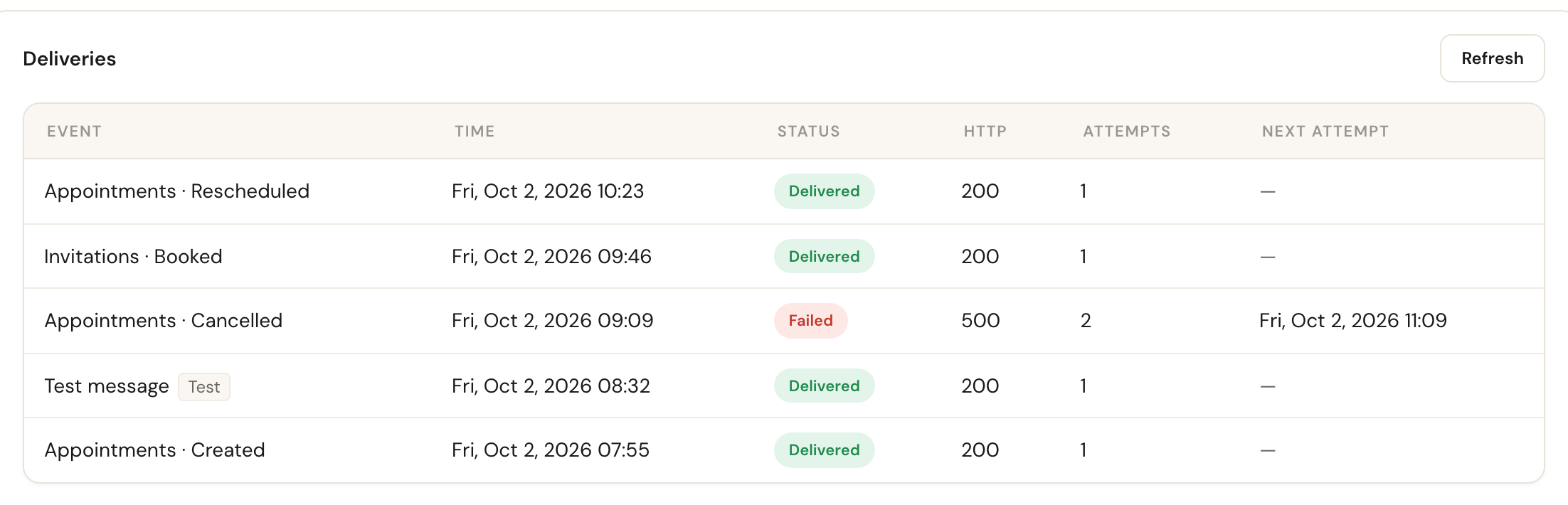
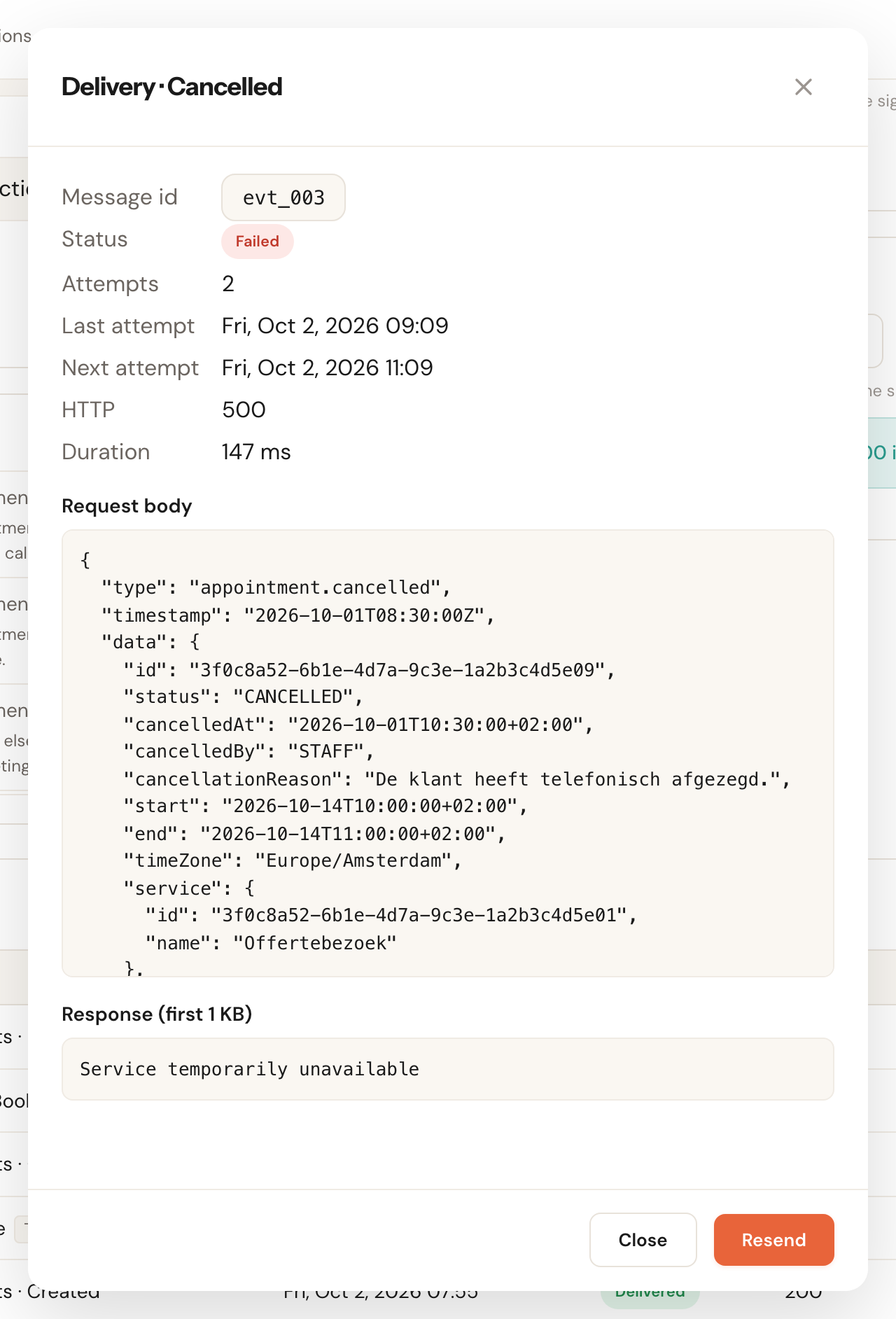
The endpoint's page lists its Deliveries: the event, the time, the status, the HTTP status, the number of attempts and the next attempt. A row opens the message that was sent and the first 1 KB of your answer, and Resend queues it again.
Deliveries are kept for 30 days. The messages hold personal data, such as an address, and only admins can see them.
Frequently asked questions
Do I receive events about changes my own system made?
Yes. An invitation your system sent, or an appointment booked from your planning link,
is reported like any other change. data.changedBy says who made it: API_KEY with the
key's apiKeyId for the invitation your system created, and USER for the appointment,
because the team member who opened the planning link booked it.
My server was down for a day. What did I miss?
Nothing, if it is back within about 27 hours: every delivery is retried for that long. After that, open the endpoint's deliveries, and resend the failed ones, or reconcile through the API's lists.
Can I subscribe to the test message?
No. ping is sent only by Send test message.