

Invite a customer
Give a customer access to the customer portal from their customer record — what the invitation says, how long it lasts, what the customer chooses and how you see it worked.
A customer gets into the portal because you invite him. You do that per customer record, from the record itself. The customer gets an email, logs in and chooses which person in his account your record belongs to.
How to do it
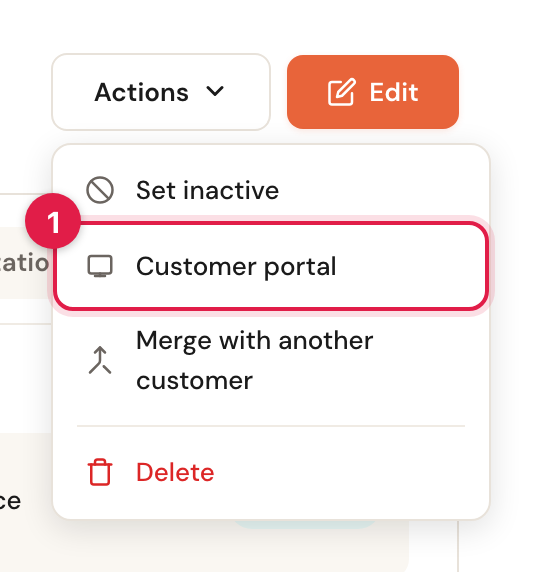
Open the customer record and choose Actions → Customer portal
At the top right of the customer record is Actions. In it, Customer portal opens a window with everything the portal knows about this customer.
Click Invite to the portal
If the customer has no access yet and no invitation is open, the window says so, with the button Invite to the portal.
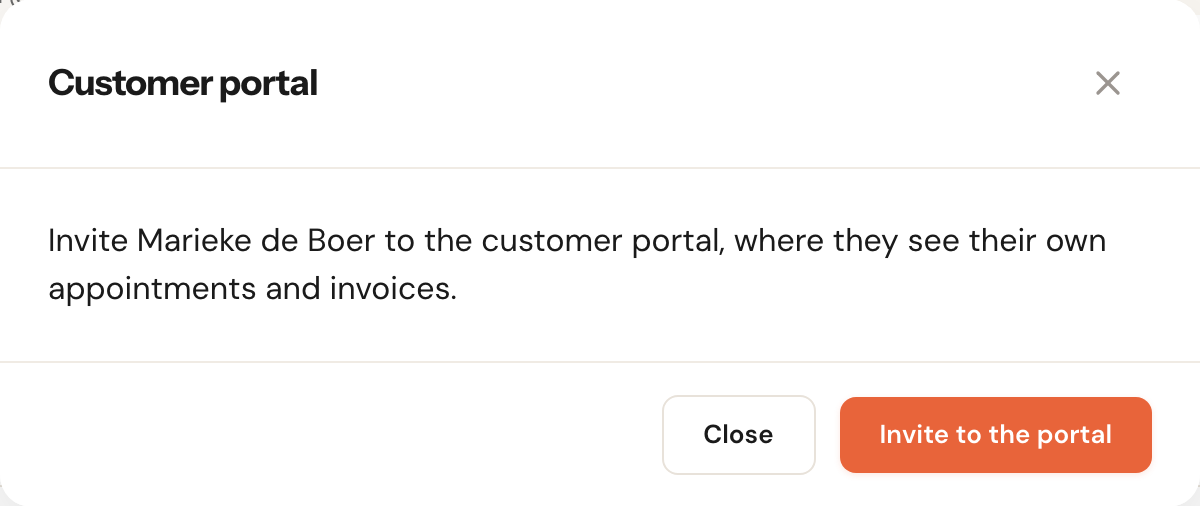
The invitation goes to the email address on the customer record. Without an address, the window says Add an email address to this customer first. If inviting is not possible for another reason — the customer has been deleted, the address cannot receive mail, or your organisation is scheduled for deletion — it says that too, and there is no button.
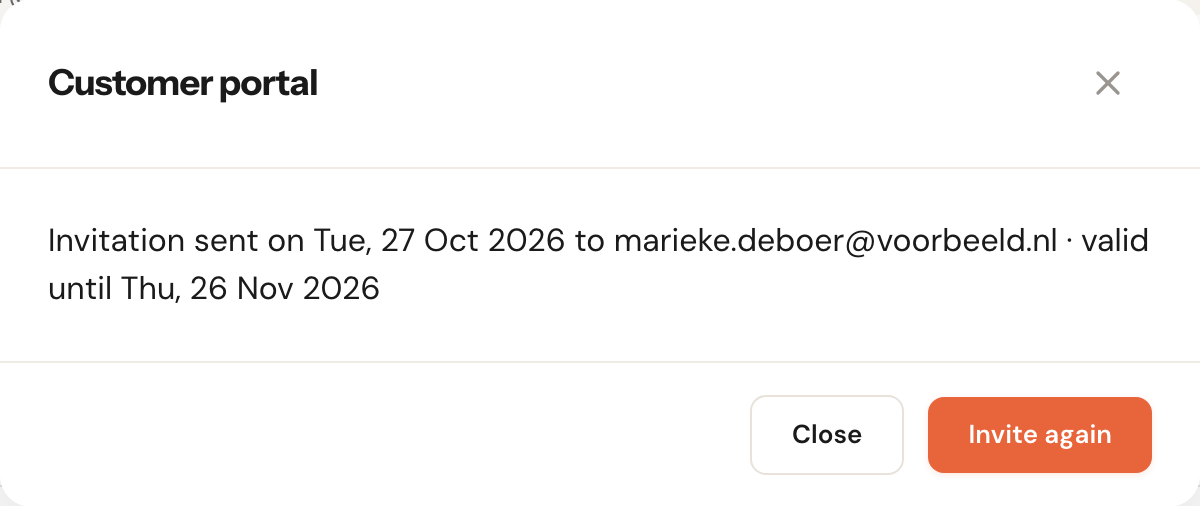
Check the line under the customer
You get the message Invitation sent to …, and from now on the window shows when the invitation was sent, to which address, and until when it is valid. The button now reads Invite again.
What the customer gets
The customer gets an email with the subject Voorbeeldbedrijf invites you to its customer portal and a button Open the portal.
Sender and branding
Your businessThe email comes from your sender, with your reply-to address, logo and colours — the same as your confirmations. See Email branding and Send from your own domain.
The customer must see the invitation comes from you, not from an unknown platform. If he replies to the email, the reply reaches you.
Language
The customer record's language; without one, your business's, and otherwise English.
Want the customer to get the email in another language? Set the Language on the customer record first, then click Invite again.
Validity
30 daysSingle useAn invitation works for 30 days and only once. After that the window shows Invitation expired on … and you can invite again.
The link in the email is a key: whoever holds it can connect the customer record to their account. That is why it works only for the address it was sent to, only once, and not forever. The email says so too: Log in or sign up with this e-mail address. The link works for this address only.
Inviting again
A customer record always has at most one open invitation. Click Invite again and the customer gets a new email, and the link in the previous one stops working: it shows Invitation withdrawn — The business replaced or withdrew this invitation. Use the latest email.
An open invitation also lapses when you change the customer's email address, or merge the customer record with another. Invite again in that case.
What the customer chooses
After logging in, the customer sees your invitation with the question For whom?. Each option says who it is for, so nobody adds themselves twice by accident.
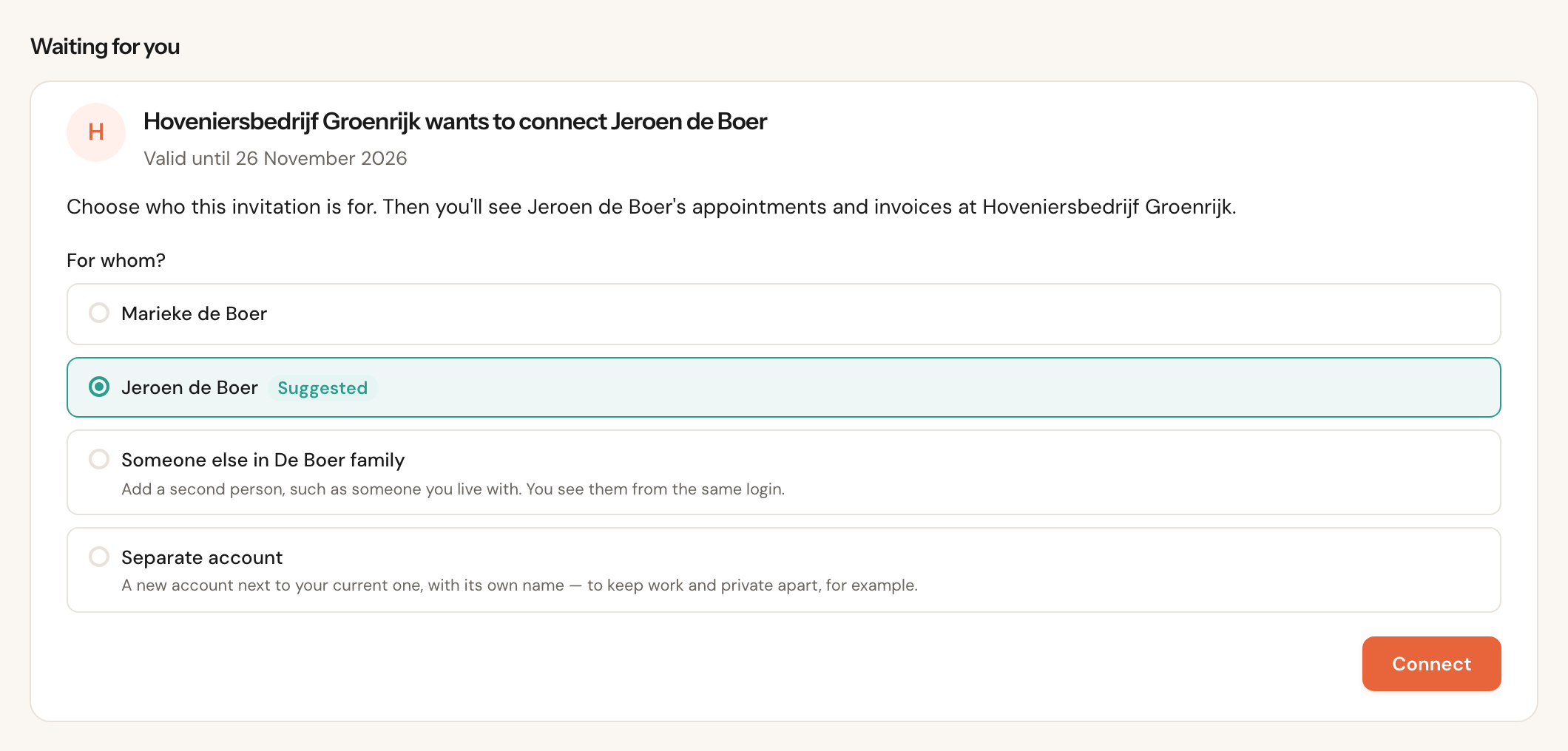
This is how the customer sees an invitation waiting in his account. Here a gardener invites Jeroen, and the portal suggests Jeroen because his name matches.
A person in the account
SuggestedSomeone already in the account. If a person has exactly the name on your customer record, he is marked Suggested and already selected. After the very first login an account has one person without a name; that person is suggested then, and takes the name from your customer record on connecting.
Someone else in [account]
A new person in the same account, already filled in with the name on your customer record — someone the customer lives with or, for a business, a colleague. He logs in with the same email address.
Separate account
A new account next to the current one, with its own name — to keep work and private apart, for example.
The whole account
Business customers onlyEveryone in the account sees the appointments and invoices, including people who join later.
For a business that is exactly right: every employee who logs in sees the business's appointments. For a private customer it is not — someone joining the household later would see everything — so for a customer record of the type person this option is not offered.
When the customer clicks Connect, he sees Connected to Voorbeeldbedrijf. and your business page opens in his portal. If your customer record was already connected to this account, the invitation says so: connecting then moves the access to the chosen person instead of creating a second one.
How you see it worked
Open Actions → Customer portal again. Where the invitation was, you now see who sees this customer in the portal: the person and the account, and since when.
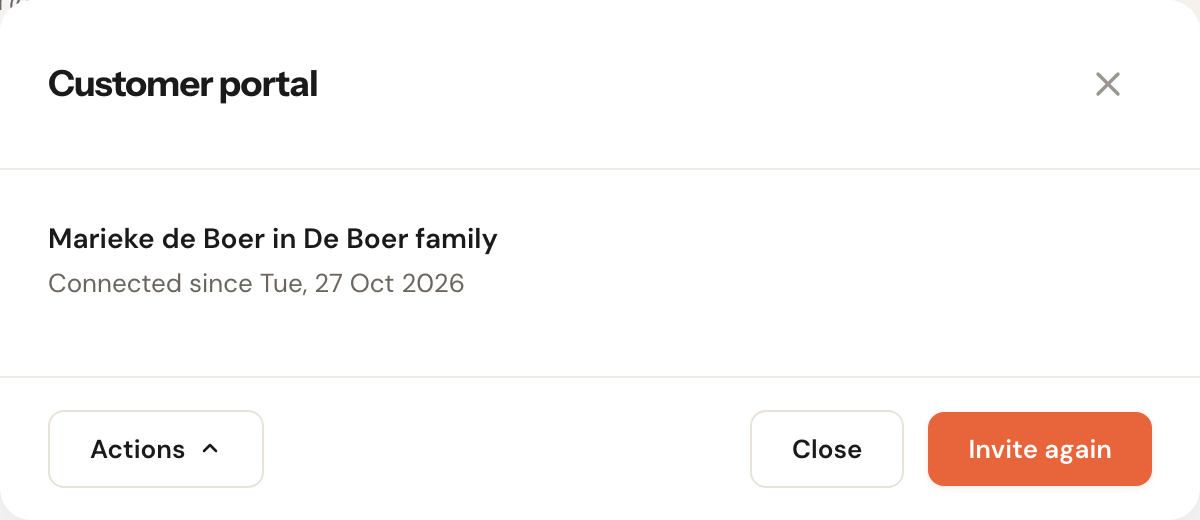
- Marieke de Boer in De Boer family — the person and the name the customer gave his account. Without a name it reads a portal account. If the customer changes the name, you see the new one here.
- via a merge — the access came along when you merged two customer records.
- via a booking in the portal — the customer record was created by this person's booking. See Booking from the portal.
When several accounts see this customer record, each has its own heading. Under Actions at the bottom left you withdraw the access or make the account a priority client. See Manage and withdraw access.
When something goes wrong for the customer
| What the customer sees | What is going on | What you do |
|---|---|---|
| This invitation is for another email address | He is logged in with another address than the one the invitation went to. The portal shows the right address partly hidden. | Have him choose Log in with another address. The link keeps working. |
| Invitation withdrawn | You invited again, changed the email address or merged the record. | Use the latest email, or invite again. |
| Invitation expired | The 30 days are over. | Invite again. |
| Invitation already used | The customer has already connected. | Nothing: logging in is enough. |
| Invitation not found | Only part of the link was copied. | Open the full link from the email, or invite again. |
Frequently asked questions
Can I invite a whole group of customers at once? No, inviting goes per customer record. If you send your customers a form, customers without access get the invitation along with that email automatically; the window then says Invitation sent along with a form request.
The customer has two customer records with me. Does he see both? Only once you invite both records. Each invitation connects one record. When booking, the portal then asks Who is the appointment for?. If the two records are really the same customer, merge them: the access comes along.
Can I see whether the customer opened the email? No. The window only shows whether the invitation is open or expired, and once the customer has connected, the connection is there. If the invitation is still open after a few days, ask the customer to check his spam folder — or just have him log in at portal.schedulinq.com: the invitation is waiting there.